
Key Takeaways
- Creo Manufacturing keeps toolpaths associated with the design model, so design updates carry through to manufacturing with less rework.
- Toolpath simulation finds collisions, gouges, and material removal problems before machining starts.
- Reusable templates and automated parameters keep programming consistent and cut down on errors from one project to the next.
- Digital verification lets engineers refine tool engagement, stock removal, and surface finish, which improves part quality.
- Less trial and error on the shop floor lowers costs and speeds up production, because teams go into the first cut with more confidence.
For manufacturers with a lot at stake, rework is a serious cost. In regulated sectors like aerospace and medical device manufacturing, one machining error can mean scrapped parts and a slipped schedule. Teams under pressure to deliver higher-quality products faster need to validate their manufacturing processes before the first chip is cut. The integrated manufacturing tools in PTC Creo are one of the most effective ways to lower manufacturing costs and build confidence in what goes to the shop floor. Below, we look at how these features keep shop-floor results in line with design intent.
What Are Creo Manufacturing Solutions?
Creo Manufacturing Solutions cover the full range of NC machining work, including multi-axis milling, turning, wire EDM, and hole making. Standalone CAM tools often need complicated data translations. Creo Manufacturing, by contrast, is built into the Creo environment. The manufacturing model stays associative to the design model, so when the design changes, the toolpaths update automatically.
The solutions give NC programming a structured, automated workflow. Key features include:
- Automated toolpath creation: Less manual work to define complex machining sequences.
- Pre-loaded manufacturing “start” models: These include fixtures, work centers, and tooling, so the digital environment matches the physical setup.
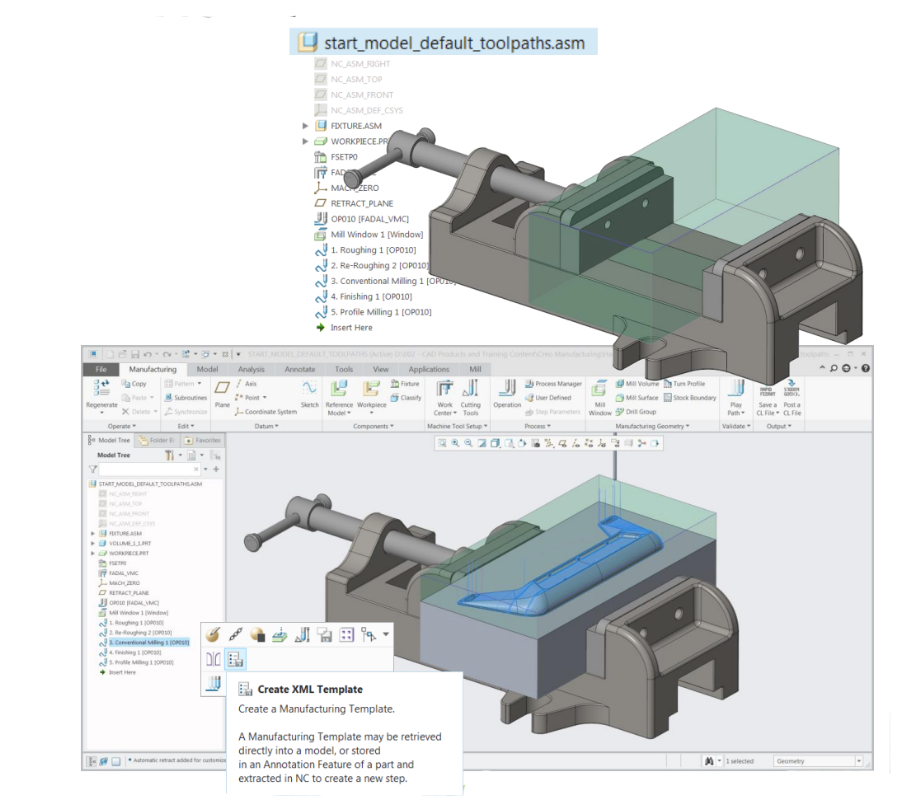
- Manufacturing templates (.xml): Reusable templates for operations and NC sequences help teams standardize their processes and stay consistent across projects.
- Automated parameter definition: Formula-based default parameters, plus the option to copy from existing toolpaths, let engineers get from design to production geometry quickly.
What Does Creo Toolpath Simulation Do?
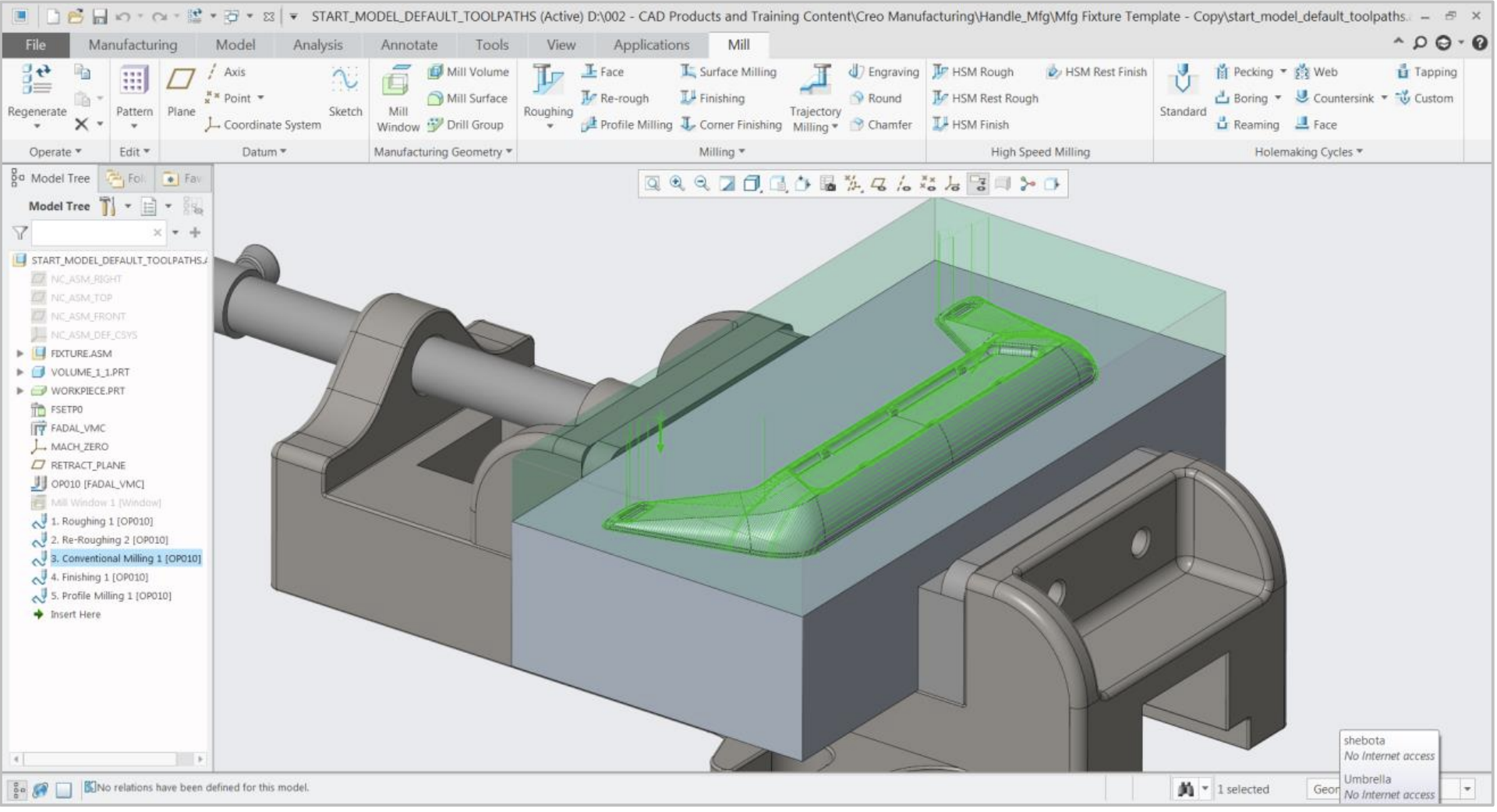
Toolpath simulation and verification connect a programmed sequence to a good physical part. Creo goes past simple line-drawing animation and gives a high-fidelity, physics-based picture of the machining process.
The simulation engine does several jobs:
- In-process stock models: It tracks the material through the entire machining operation and shows exactly how much remains after each sequence.
- Collision and gouge detection: It automatically finds and reports any point where the tool or holder could hit a fixture or gouge the finished part.
- Color-coded material analysis: Engineers can see remaining material thickness and confirm that the part will meet its tolerances.
- Cross-section views: Engineers can inspect internal geometry to check that complex features are being machined correctly.
How Toolpath Simulation Reduces Rework
Most machining rework comes from trial and error on the shop floor. When an NC programmer can’t fully see how the tool, part, and fixtures interact, they fall back on manual overrides or multiple test runs. Creo Toolpath Simulation removes that uncertainty.
Early Error Detection
Collision and gouge detection lets engineers catch potential disasters while everything is still digital. If a tool holder is about to hit a fixture during a rapid move, the simulation flags it right away. The programmer can double-click the report to see the exact moment of impact and adjust the toolpath. A broken tool or a damaged machine costs far more than a few extra minutes of simulation.
Improved Surface Quality
Good surface finishes depend on precise toolpaths. Simulation shows the material removal process in detail. By looking at tool engagement and step-over, engineers can refine NC sequences for a better finish and fewer secondary finishing operations or manual polishing.
Standardized Best Practices
Reusable .xml templates and automated parameters mean the most efficient machining strategies get used every time. A team working from a proven, simulated template is much less likely to make a one-off programming error. Standardization also makes manufacturing more efficient and delivery dates more predictable.
Faster Time to Market
Less rework saves time as well as money. When toolpaths are verified digitally, the handoff to the shop floor goes smoothly. Getting production geometry out quickly helps organizations win new business with shorter delivery cycles and a clear edge over competitors.
Reducing Rework with Creo Toolpath Simulation
Any engineering organization modernizing its manufacturing processes has to reduce machining rework. Creo Manufacturing gives teams the tools to stop reacting to errors and start executing precisely. With toolpath simulation and verification, companies can lower manufacturing costs, improve product quality, and get to market faster.
At SPK and Associates, we help product development organizations optimize these systems so they can deliver higher-quality products with less risk. If your team is dealing with manufacturing bottlenecks or high rework rates, it may be time to revisit your NC machining strategy. Contact us to learn how we can help you optimize your Creo environment for manufacturing.