
Protecting documentation inside project tools like Jira Cloud can be a challenge in regulated environments. Whether you’re managing technical files, contracts, or quality compliance records, attachments are often scattered and exposed to unnecessary users. Fortunately, Document Vault for Jira Cloud, developed by Redmoon Software, resolves this issue. Document Vault gives teams a more structured and secure way to manage sensitive documents from within Jira. Let’s dive into its capabilities.
What Is Document Vault for Jira Cloud?
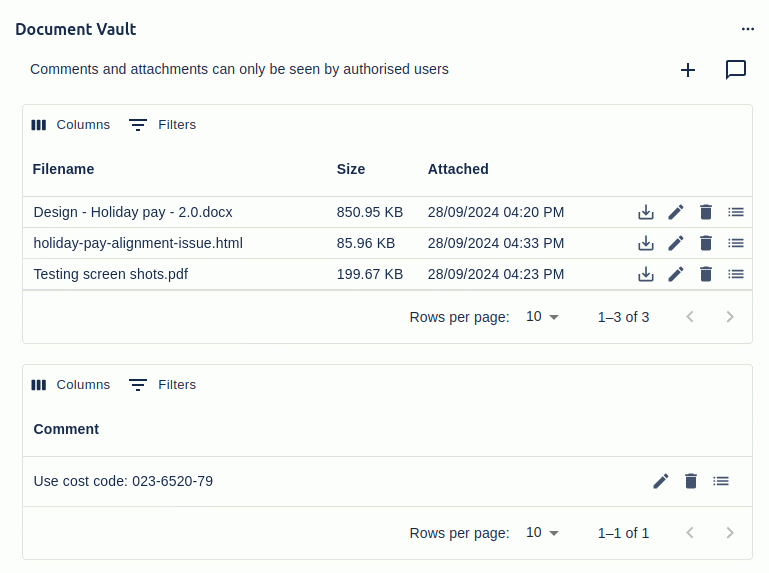
Document Vault is a secure attachment management app that integrates directly into Jira Cloud issues. It provides a private, configurable repository for storing files and comments. These can be accessed only by designated user groups or project roles. Unlike Jira’s default attachment handling, Document Vault has many customization features. It lets admins strictly control visibility, customize access permissions, and maintain cleaner documentation workflows. It should be noted that Document Vault stores all attachments and data within Jira itself, never on external servers. This enhances both compliance and privacy, making it suitable for highly regulated industries where system transparency is a priority.

Key Capabilities of Document Vault
Document Vault for Jira Cloud contains the following features:
Secure Attachment Storage
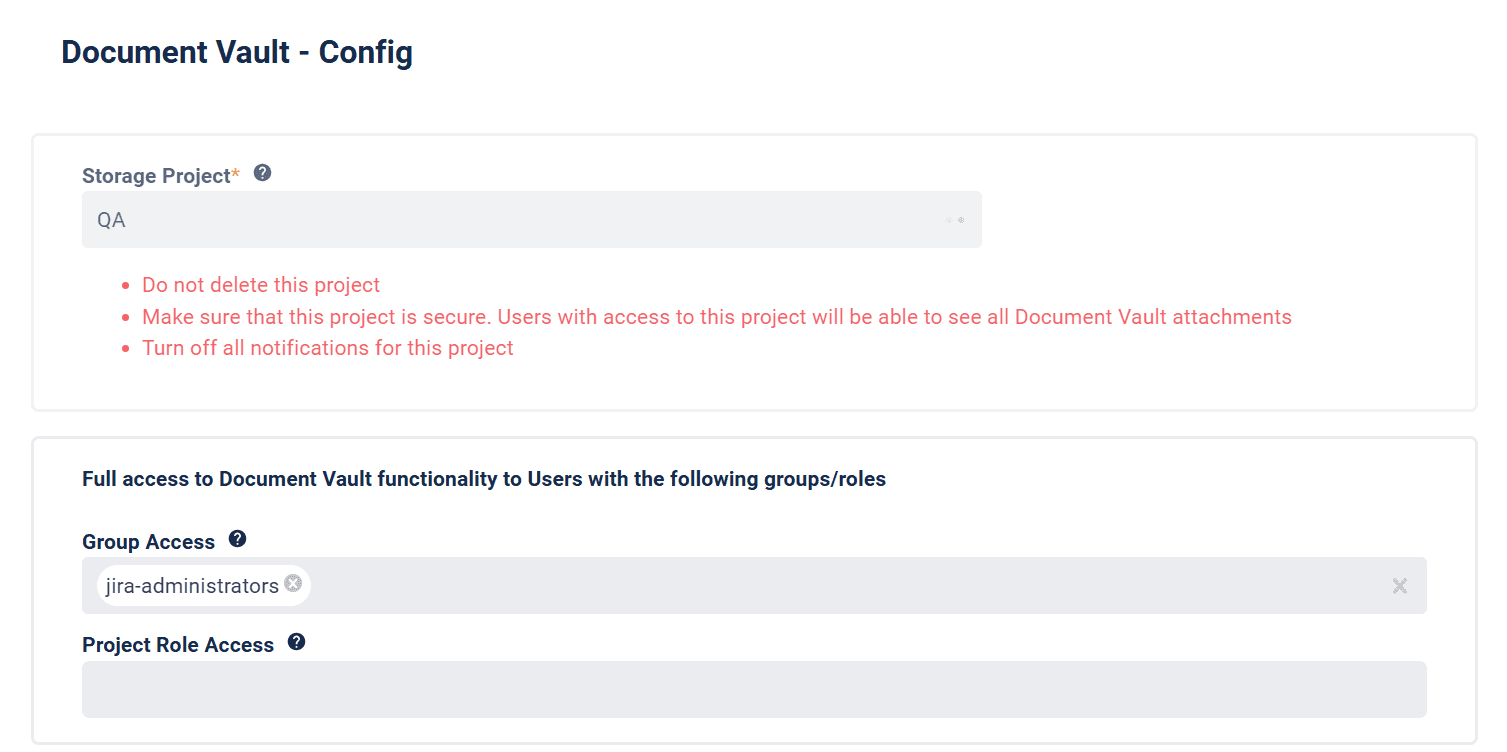
All attachments are stored in a secure Jira project configured by your admin. This “storage project” keeps files isolated and ensures only select users have access.
Granular Access Control
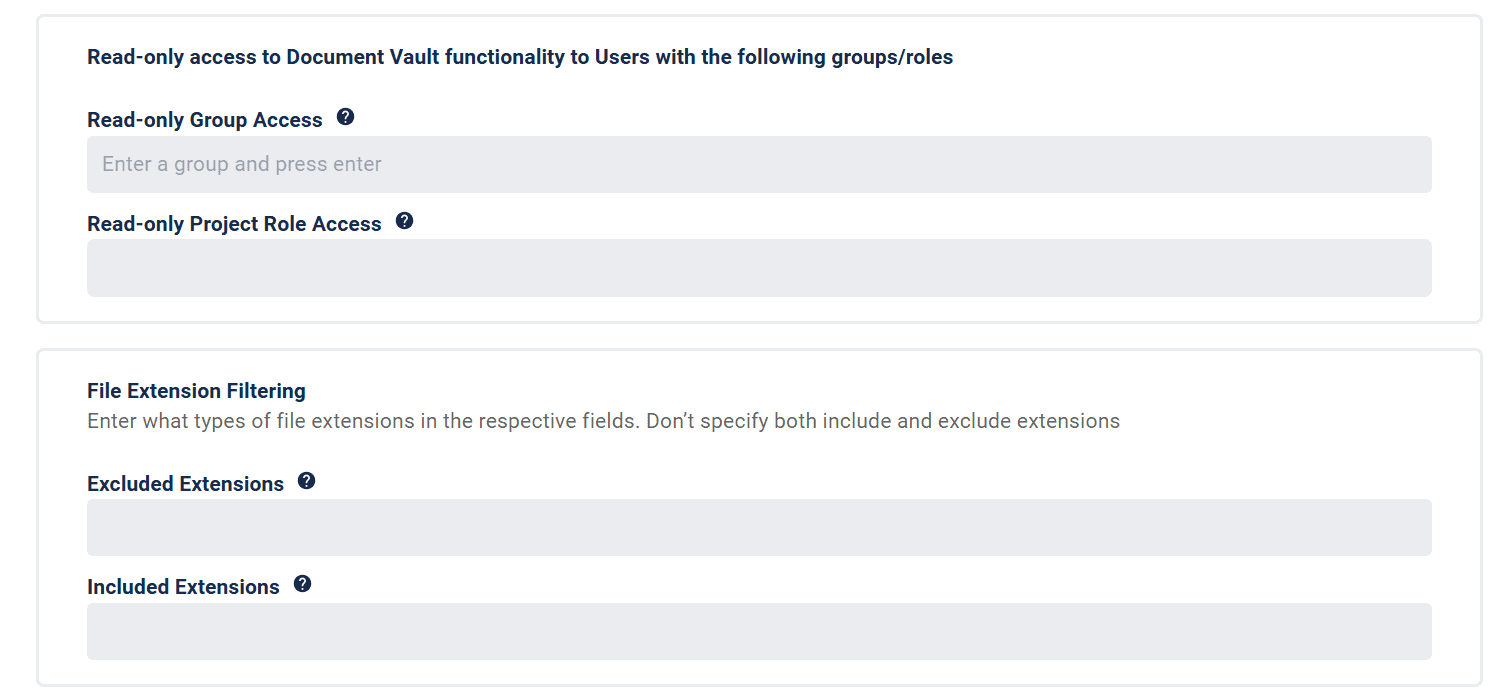
Admins can define full or read-only access to Document Vault using Jira groups and project roles. Visibility of files and comments is restricted accordingly, and users without access see a customizable message instead.
Add, Edit, and Update Attachments
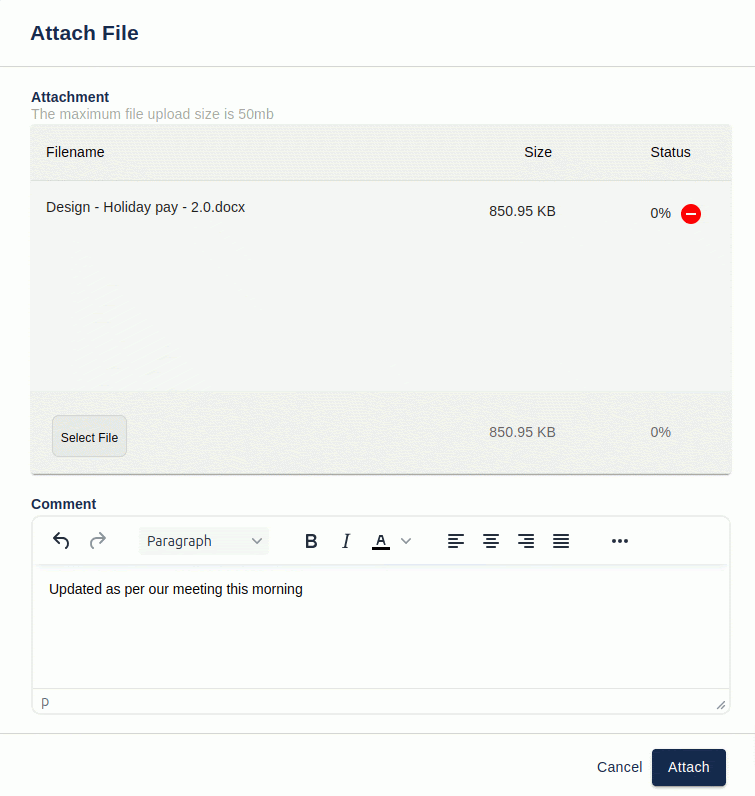
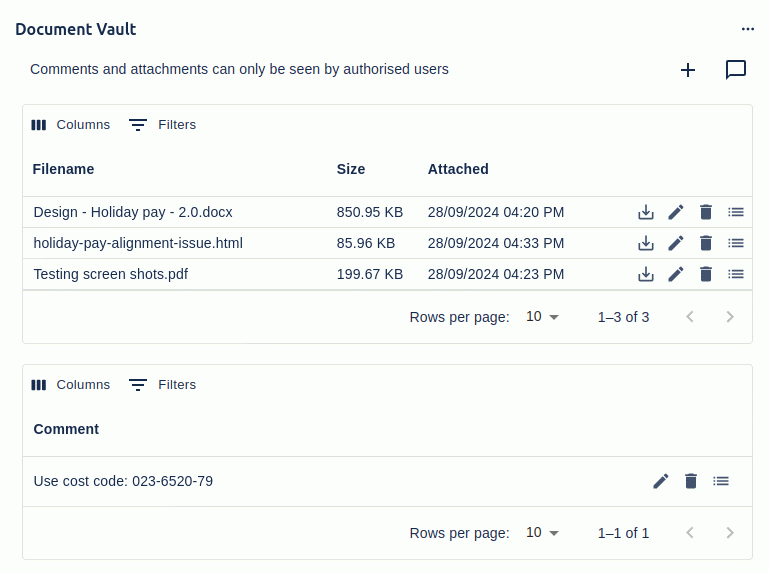
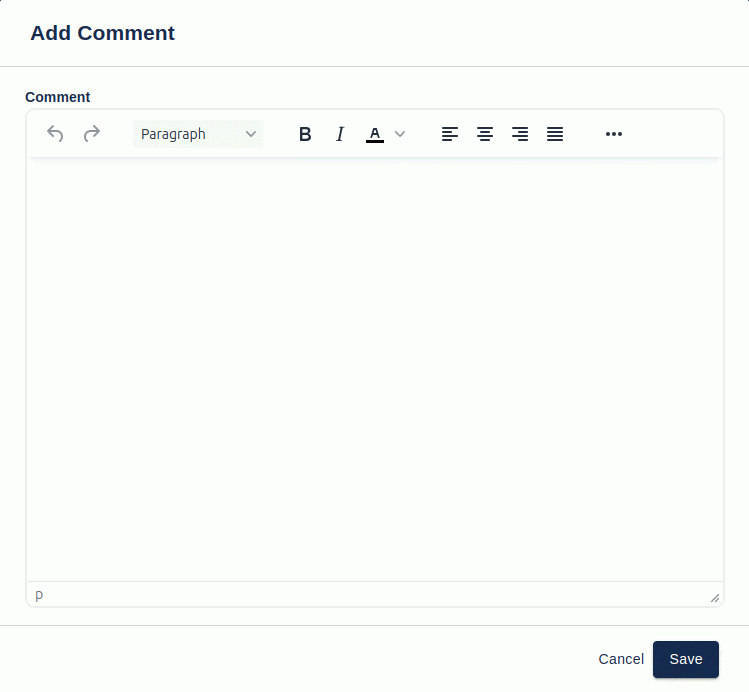
Users can upload multiple files at once using drag-and-drop or selection. Attachments can be updated (replacing previous versions), renamed, and commented on. Comments can be standalone or linked to individual files.
Standalone Comments and Metadata
Document Vault supports adding comments independent of attachments.
Admin Configuration
Admins can:
- Set access permissions by role or group
- Filter attachments by file type
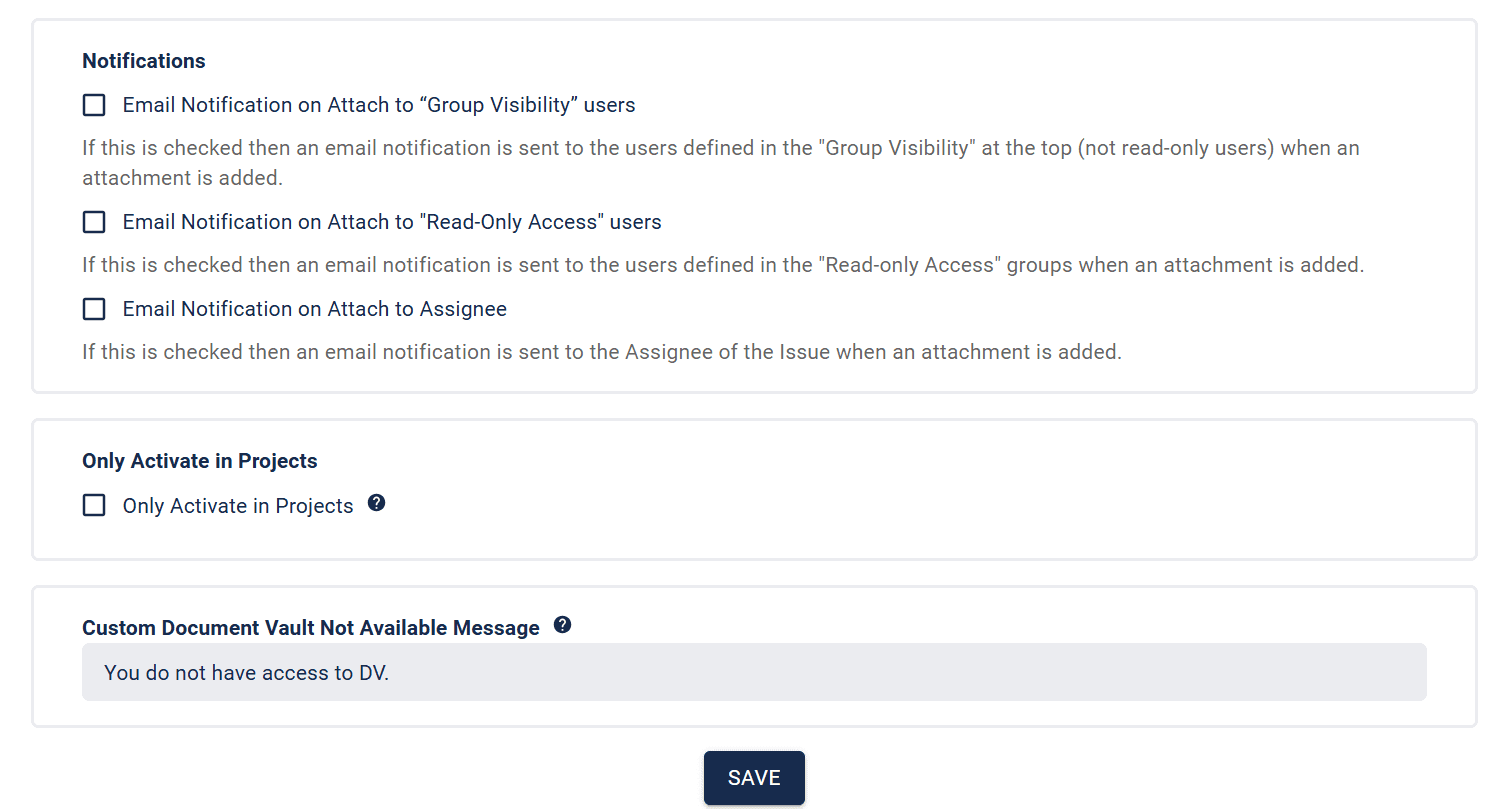
- Enable email notifications for uploads
- Activate Document Vault globally or per project
- Customize “no access” messages for unauthorized users
File Management Actions
Each file comes with options to download, update, edit comments, and delete. This gives teams control without cluttering the standard Jira interface.
Why This Benefits Your Team
Better Compliance
Sensitive documents are no longer floating around unprotected. With secure access controls and storage entirely within Jira, Document Vault helps you meet internal governance and external regulatory requirements.
Streamlined Collaboration
Your team won’t need to search across multiple platforms or risk losing track of documents. Comments and attachments stay close to the work, directly inside the issue.

Simplified Access Management
Instead of complicated workarounds or external tools, Jira admins can manage who sees what in a straightforward interface using existing groups and roles.
Data Security and Transparency
Because files stay within your Jira environment, there’s no added security risk. This makes Document Vault an ideal solution for businesses concerned about third-party data handling.
Customizable Experience
Document Vault’s customizable messaging puts you in control of the user experience. For example, you can guide users to request access when they want to alter a document.

Document Vault: A Smarter Way to Manage Jira Attachments
If your team needs to enforce tighter document control for compliance, Document Vault by Redmoon Software is a simple yet powerful solution. With built-in security, seamless integration, and admin-level flexibility, it turns Jira into a robust document management tool. It eliminates the struggle of managing sensitive files by offering everything you need, directly in Jira. If you are ready to reduce attachment chaos and improve control over your Jira data, contact SPK today. We can help you get the structure and security you need to work smarter.