
Introduction
Michael Roberts:
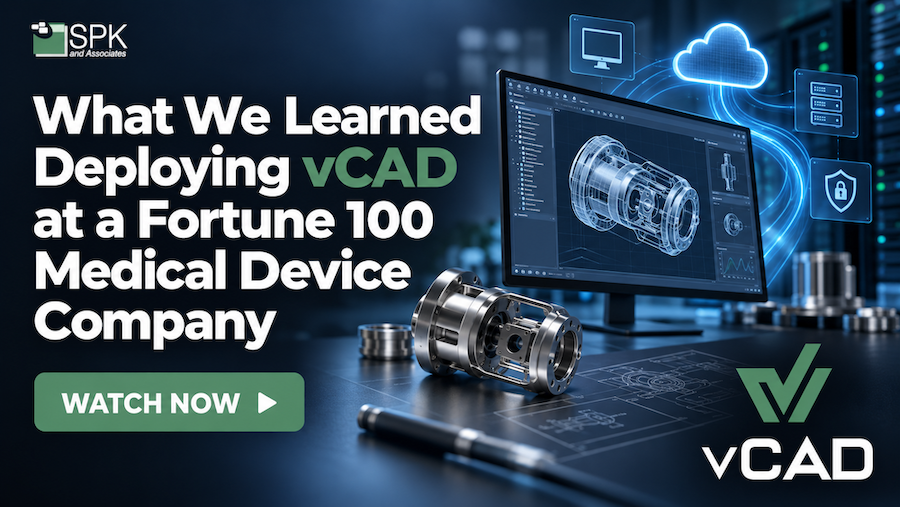
Hello, everyone, and welcome back to another SPK & Associates Vlog. My name is Michael Roberts. I’m the Vice President of Sales and Marketing for SPK & Associates, and today we’re going to talk about a topic that’s really cool: what we learned about deploying SPK vCAD at a Fortune 100 medical device company. There’s a lot going on there.
So, rather than just talk about the benefits of vCAD, I want to actually give you some real-world experience, and what happened in that deployment, what this company was trying to solve, kind of their base business and technology problem, some challenges and surprises that we encountered along the way, and then what we learned that could maybe help other engineering and IT teams consider a similar approach going forward.
So today, I’m joined by Mike Solinap from our team. Mike, please feel free to introduce yourself.
Mike Solinap: Thanks, Michael. I’m Mike Solinap. I run our Cloud and Infrastructure practice here at SPK. I also am in charge of the development of the vCAD product, so I take features that we gather from our customers, and I work them into the product along with our development team.
Michael Roberts: Awesome. Great to have you here, Mike. And Mike was hands-on in this deployment, so we’re literally talking to one of the people that had their hands on this whole engagement.
So, Mike, maybe first, can you walk us through the environment and the business challenges that this Fortune 100 medical device company had, what they were facing before they implemented vCAD, and what problems they were trying to solve for their engineering teams?
Business Challenge: Slow Provisioning Times
Mike Solinap: Sure, yeah. I think the biggest thing to mention about that customer in terms of business challenges was slow provisioning times.
And there’s a couple of different aspects to what I mean by that.
What I’m talking about, first of all, is getting laptops out to suppliers and contractors. Very commonly in large corporations, you’ll have some set of suppliers, especially in Med Device, where those suppliers need access to the CAD drawings and some of the parts that the Med Device manufacturer creates.
Back in the day, they would send some documents, some physical documents, but nowadays, they actually get them access to the CAD environments directly so they can look at all the metadata, they can look at the different parts and modify them if they need to, and view them.
So that’s a big technological challenge because of the amount of time it takes to provision a laptop, ship it out, make sure it gets to the supplier or contractor, and then get them connected. All of that takes quite a long time.
Additionally, this customer of ours, they don’t have a BYOD policy, so it’s not like the supplier can just get a VPN client installed on their own computer, get connected to the customer, and then be off and running, right?
We needed to essentially bring the environment to the customer.
So that’s one big challenge.
Right Version of SOLIDWORKS
Then, also in terms of slow provisioning times, getting the right version of SOLIDWORKS is a challenge.
For their own staff that are using SOLIDWORKS, a lot of them tend to use it intermittently.
So they may have an older version of SOLIDWORKS, and for those of you that use it, you know that it can’t deviate from the server version too far, otherwise it just won’t work.
From the user’s perspective, what that means is they have to go into SCCM. They’ve got to trigger the installation on their own machine.
They’ve got to troubleshoot it if it doesn’t work, getting IT involved, and a lot of these are remote users.
And as you guys know, SOLIDWORKS has very large package sizes on these installers. They’re massive. So if you’re remote and trying to pull it from SCCM, it’s kind of a 50-50 chance whether it’ll work or not.
That’s what I mean by slow provisioning times.
Business Challenge: Inconsistent CAD Performance
Other business challenges, I would say, would be inconsistent performance.
Some of the users were using laptops without GPUs.
And that’s primarily because they wanted to be able to take work home with them, right? And when they do that, they don’t necessarily want to lug around a big, massive, powerful, noisy laptop. They want something small and portable.
But that may not necessarily have the right performance for CAD and PDM usage, right? So that’s something that vCAD was able to help address.
And that’s actually a good segue into one of the other challenges in terms of laptops.
Over recent years, there’s been a big proliferation of Mac laptops in the environment, right?
So you’ve got Apple laptops with these very fast ARM CPUs. Awesome hardware. Portable, got all-day battery life. But the big challenge is they don’t run SOLIDWORKS.
So that’s a challenge that vCAD was able to help address.
Business Challenge: Work in Progress
And then lastly, the other business challenge that we ran into was intercepting work in progress.
What I mean by that is when somebody’s out sick and they forget to do a check-in before leaving for vacation, their work kind of gets stuck in limbo, if you will.
We also provide application management for this customer for SOLIDWORKS PDM, and we tend to get a lot of these types of requests for breaking check-in locks for users that aren’t in the system any longer, or hunting down work that’s in progress.
With vCAD, that makes it super easy because we can transfer the ownership of the virtual desktop and that work in progress to maybe their manager or another CAD designer, and they can kind of just pick up where that person left off.
Lessons Learned from the vCAD Deployment
Michael Roberts: Nice. And there’s a lot there, and we’ll unpack a little bit more here in a sec.
But obviously, Mike, every one of these large-style deployments has some surprises and some skeletons in the closet.
So, looking back on this vCAD implementation for this customer, what were some of the biggest lessons learned?
Obviously, we plan for as much as you can, but you always have some level of unexpected challenge or architectural decision changes that engineering and IT should consider or should think about when they’re starting a similar type of initiative.
Increased Security Requirements
Mike Solinap: Sure. So one, I think, of the biggest lessons learned, or unexpected challenges, if you will, had to do with the topic of increased security.
Meaning that this particular customer was quickly ramping up their cybersecurity posture.
And that was due to a number of factors, given what’s been happening out there in terms of AI-discovered vulnerabilities, ransomware, you name it. Their IT group was really concerned about their current security posture and getting them to kind of a different stance.
So there was kind of a gap in terms of where our product was and where they wanted to be, but we were able to quickly align to that increased posture through a few different methods and improvements through vCAD.
One of them was we enabled hybrid connectivity, so we were able to more closely integrate into their network infrastructure, more of their secure enclave, if you will, for where workloads are able to run.
So that was one big thing.
The other thing was augmenting the vCAD image and software that was on it so that we could align to corporate-mandated security monitoring tools.
We were able to install those into the vCAD image, integrate them, and then corporate IT was nice and happy.
So I would say integration is something that engineering and IT leaders need to think about.
Otherwise, without that integration, you can kind of lead toward shadow IT solutions or expose yourself to governance and compliance risks unnecessarily.
Michael Roberts: Those are obviously bad outcomes. We don’t want those.
Cost Projections and Usage
Mike Solinap: There was one other unexpected challenge, and that was around cost projections.
So we try to do an estimation for the customer upfront based on all the things that we know and some of the factors around their projected usage.
And I think that was a challenge because we didn’t really know how well the customer would adopt vCAD.
It turns out the customer ended up using it more often than we initially estimated.
And that led to some healthy discussions about budget.
Where that led to was that we were able to provide some reporting, which included users that were most actively using the system, for which projects, how much time it was saving them overall.
I think eventually they were pretty happy with that because they got the data that they needed.
Michael Roberts: Absolutely. And there’s obviously a longer-tail cost savings when you’re talking about changing infrastructure versus an on-demand kind of thing.
So having that data actually did support them not buying a bunch of equipment too, so that’s a big bill avoided.
Operational and Business Outcomes
Okay, so the environment’s in place. They’re using vCAD.
Can you give us a little bit more around what operational and business outcomes this organization has seen around engineering productivity, remote collaboration, you mentioned a little bit of the security component, scalability, or overall user experience?
And then, what advice would you give other manufacturing companies that are also evaluating vCAD to try to get those same types of outcomes?
Mike Solinap: Yeah, there were a lot of really good outcomes that came out of this.
I like to say the customer’s having their cake and eating it too, meaning that they’re seeing consistent performance across the board.
For users, whether they’re on a Mac in the office or working from home, it’s no longer an issue.
Fewer project delays due to things like access requests or, like I mentioned, getting the right software installed and configured.
Getting those working environments out to contractors immediately, as opposed to several days.
Another outcome was, like I mentioned, increased security through alignment with corporate standards and governance requirements. So we were able to align to those.
In terms of hardware, there were a lot of supply chain issues that we were able to avoid, and avoid those delays.
What we’ve seen over the years in terms of cloud providers is that they’ve been able to ramp up their GPU instance offerings.
So, instance capacity on vCAD, where we were developing the product very early on, we were seeing a lot of constraints around GPU-enabled instances.
It hasn’t been an issue for as long as I can remember now.
Saving IT Time with a Purpose-Built CAD Environment
We also saved IT a bunch of time in trying to adapt AWS WorkSpaces, which is a very good product, but for a slightly different use case.
Or they were also considering rolling their own with Azure.
A lot of customers come to us and say, “Oh, well, I can just spin up an Azure environment and tenant, and they’ve got GPU-enabled instances.”
But it’s not quite that simple, as a lot of folks can find. There are a lot of things in terms of configuration and, as we mentioned, security and access, and all those things that vCAD just kind of addresses.
One of their IT groups also runs a VMware environment.
And there’s also a very similar product called Horizon, where you can run GPU-backed Horizon instances.
Very similar to Azure, there are a lot of things that go into the setup of that.
Those work well for other types of use cases, but for CAD-based workflows, there’s definitely a big gap there in terms of a working solution.
Advice for Companies Evaluating Virtual CAD
So for other manufacturing companies evaluating virtual CAD environments, my advice would be not to settle.
What I mean by that is you shouldn’t be increasing your risk tolerance when adopting a virtual CAD solution.
Likewise, if a virtual CAD environment can’t meet your security and compliance requirements, it shouldn’t be an option, right?
And then finally, you shouldn’t be compromising on performance because we know that CAD designers won’t adopt solutions that don’t come close to the performance of their native desktop environment, right?
So if you’ve got a laggy solution or it doesn’t scale well, it should be a non-starter.
Michael Roberts: You’re going to have a lot of upset engineers if it’s slow.
Closing Thoughts
All right, Mike. Thank you for sharing some lessons learned on this deployment. I appreciate your time.
Mike Solinap: Yep, thank you.
Michael Roberts: And I think the biggest takeaway here is that moving these CAD workloads into a virtual environment isn’t just simply an infrastructure project.
There are real decisions that have to get made around performance, security, user experience, architecture, and how engineers actually work in that environment and actually produce a product.
And if vCAD can support the complexity of this environment that we talked about here today, I’m pretty sure that it can work for your engineering organization too.
If your team is evaluating virtual CAD or trying to improve how distributed engineering teams are accessing their CAD and PLM environments, SPK can actually help determine if vCAD makes sense for your environment.
So reach out to us. Our contact info will be in the description.
If you found this discussion useful, please like this video and subscribe to the SPK & Associates YouTube channel.
And we’ll have more conversations around engineering, cloud infrastructure, DevOps, and more, and all the tools behind modern product development.
Thanks for watching, and we’ll see you again next time.