
Jira users across many teams rely on issues to plan, track, and complete work. Whether you are managing marketing campaigns, IT requests, or product updates, Jira helps keep work visible and organized. However, creating and managing issues manually can quickly become time-consuming. Many workflows require more than a few tasks. A request may need multiple sub-tasks, linked issues, approvals, handoffs, or follow-up actions. When users have to create each of these items manually, Jira begins to feel like another administrative burden instead of a tool that helps work move faster. Let’s explore how tools from RedMoon software solve this.


The High Cost of Manual Jira Issue Creation
Manual issue creation takes time and creates unnecessary friction. For example, a single request may require several related sub-tasks, multiple assignees, due dates, labels, linked issues, or specific field values. When users have to enter this information by hand every time, several challenges can appear
First, manual entry increases the risk of mistakes. A user may forget to add an important sub-task, miss a required field, or fail to link related work. These small errors can lead to confusion, delays, and incomplete reporting. Second, repetitive data entry is inefficient. Copying the same descriptions, assignees, due dates, and field values across multiple issues is not the best use of anyone’s time. Teams should be able to focus on completing work, not recreating the same Jira structure over and over. Finally, manual processes create friction. When starting work in Jira feels too difficult or time-consuming, users may delay creating issues, skip important details, or rely on side conversations outside of Jira. This reduces visibility and makes it harder for teams to understand the true status of work.

To solve these challenges, Jira users need easier ways to automate repetitive issue creation and manage how work moves between projects. This is where Redmoon Software’s apps, STM (Sub Task Manager) Issue Templates and Move It, can help.
Redmoon Software: STM Issue Templates and Move It
Redmoon Software builds apps that extend Jira’s native capabilities and make every day Jira workflows easier to manage. Their tools are designed for teams that want to reduce manual work, improve consistency, and keep Jira organized as work grows more complex.
STM Issue Templates allows users to create and update issue templates. These templates can generate sub-tasks, linked issues, and Epic issues with a single click, or even automatically. Whether your team needs a standard checklist for onboarding, a repeatable set of tasks for a campaign launch, or a common process for customer requests, Issue Templates helps ensure the right work is created every time.
Move It complements Issue Templates by making it easier to move issues between Jira projects. In many organizations, work may start in one project, such as an intake queue, and later move to another project for execution, review, or tracking. Move It helps automate this transition so relevant data follows the issue without requiring users to manually recreate or re-enter information.
Streamlining Workflows with Issue Templates
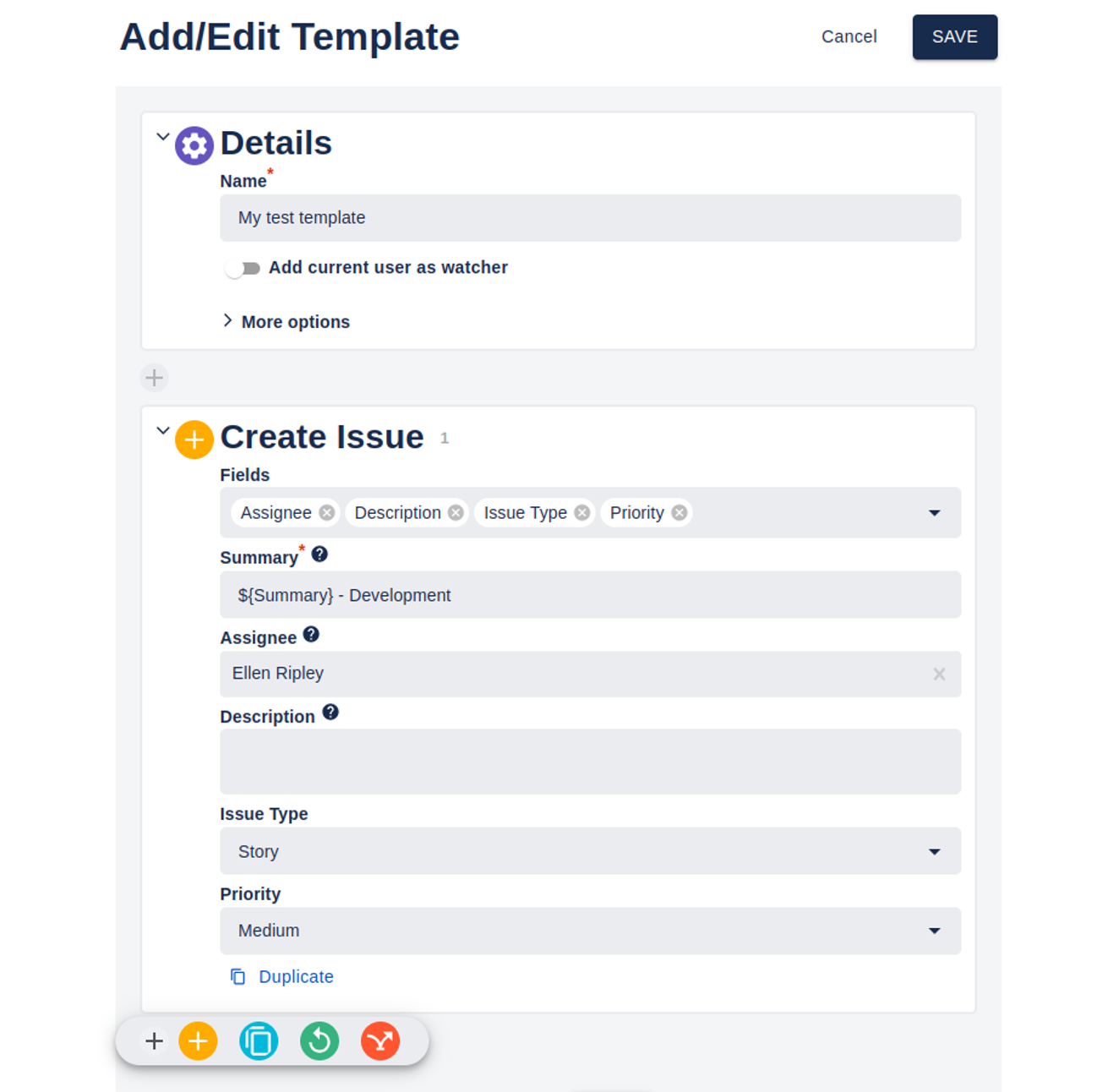
The core strength of STM Issue Templates is its template functionality. Instead of starting from scratch, teams can define templates for common groups of work. These templates can be created for specific projects or applied more broadly across the organization.
For example, a team could create templates for:
- New employee onboarding
- IT equipment requests
- Marketing campaign launches
- Customer issue follow-ups
- Product release checklists
- Content review processes
- Recurring operations tasks
Automating Work with STM Issue Templates
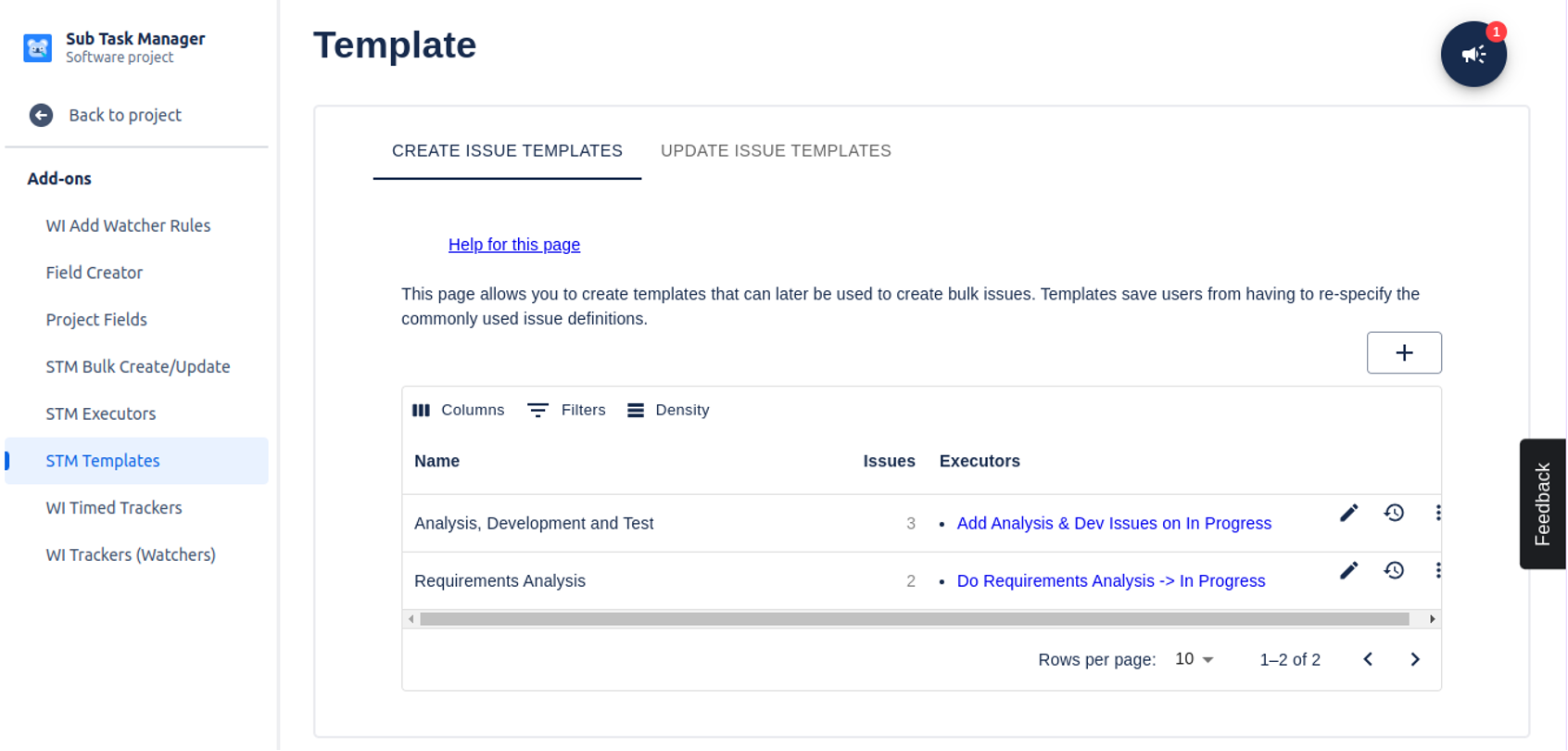
STM Issue Templates also includes Executors, which are rules that automatically create sub-tasks or linked issues based on specific conditions. For example, when an issue moves to “In Progress,” “Ready for Review,” or another workflow status, Issue Templates can automatically create the next set of required tasks. This helps teams build more reliable workflows. Instead of relying on someone to remember every next step, Jira can help generate the work at the right time.
Issue Templates can also support automatic issue transitions. For instance, when all child issues are completed, the parent issue can move to the next workflow status. Additionally, when a parent issue changes status, related child issues can update as well. This reduces the need for users to constantly monitor and manually update tickets. The workflow becomes easier to manage, and teams can spend more time doing the work instead of maintaining the work tracker.
Moving Issues Across Projects with Move It
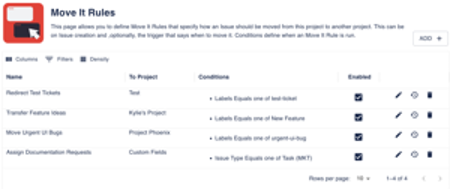
While Issue Templates helps create structured work, Move It helps teams manage where that work belongs. In Jira, moving issues between projects can sometimes be complicated. Different projects may have different fields, workflows, issue types, or permissions, which can make issue movement difficult for regular users. Move It simplifies this process by allowing administrators to create rules for how issues should move between projects. These rules define how information from the original issue maps to the destination project, helping preserve important data during the move.
The benefits include:
- Accuracy: Field mapping helps ensure important information is not lost when issues move.
- Transparency: Move It can add a comment explaining when and why an issue was moved.
- Efficiency: Users can move issues through a simple interface, or the move can happen automatically based on defined criteria.
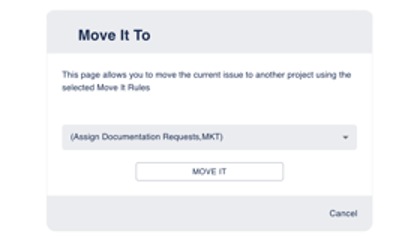
This is especially useful for teams that use one project for intake and another for execution. For example, an IT request may begin in a service desk project and move to a technical delivery project. A marketing request may start in a general request queue and move to a campaign-specific project. Move It helps make those transitions smoother and more consistent.
Scaling Automated Jira Issue Creation and Transitions
As teams grow, Jira workflows often become more complex. More projects, more issue types, more custom fields, and more handoffs can create extra administrative work for users and administrators alike. STM Issue Templates and Move It help reduce that complexity by automating repeatable actions. Together, they support bulk issue creation, automated status updates, issue templates, linked issue creation, and smoother project transitions. For Jira users, this means less repetitive work and fewer manual steps. For team leads and administrators, it means more consistent data, cleaner workflows, and better visibility across projects. When Jira handles more of the routine setup and movement of work, teams can focus on execution.
Smoother Jira Issue Creation with STM Issue Templates and Move It
Automating issue creation is not just about saving a few minutes. It is about making Jira easier, more consistent, and more useful for the people who rely on it every day. Redmoon Software’s STM Issue Templates and Move It help turn Jira from a place where users manually enter and move work into a system that supports how teams actually operate. By reducing repetitive tasks and simplifying project transitions, these tools help Jira users spend less time managing tickets and more time moving work forward. SPK and Associates is proud to be both an Atlassian partner and a Redmoon Software partner. Our team helps organizations configure Jira and marketplace apps in ways that support real workflows, improving adoption across teams.
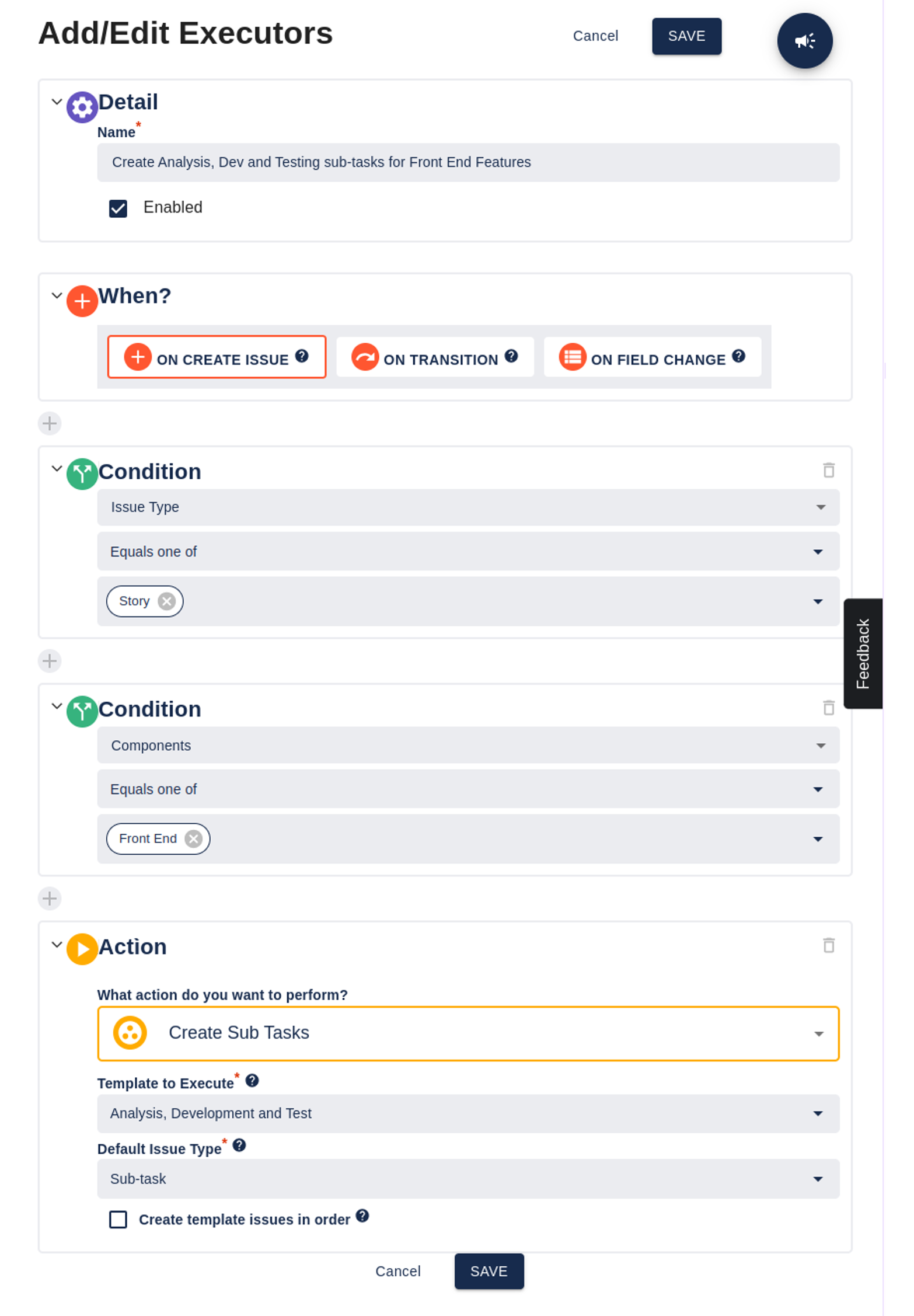
If your team is ready to reduce manual Jira work and create more efficient workflows, contact SPK and Associates to learn how we can help optimize your Atlassian environment.