

Seamless collaboration and efficient project management are always top of the wish list for companies. Without these core functionalities, your business is likely privy to a broad spectrum of headaches. Including falling further behind the competition. At SPK, we help our clients achieve better environments (both infrastructure and culture wise!) by integrating the software tools they use. Because when the friction is removed, and processes and people can run smoothly, businesses can drive ROI. Whether it’s a RESTful API, or applications, good integrations are the basis of efficiency. However, cross-platform task and workflow management can still pose recurring challenges. And this can lead to fragmentation and communication gaps. The yasoon Jira Plugin offers a powerful solution, seamlessly integrating Microsoft 365 and Jira. In this blog post, we’ll explore its features and benefits for Jira and Microsoft 365 users.
Why You Should Be Integrating Jira and Microsoft With The yasoon Jira Plugin
1. Unified Interface for Jira and Microsoft 365
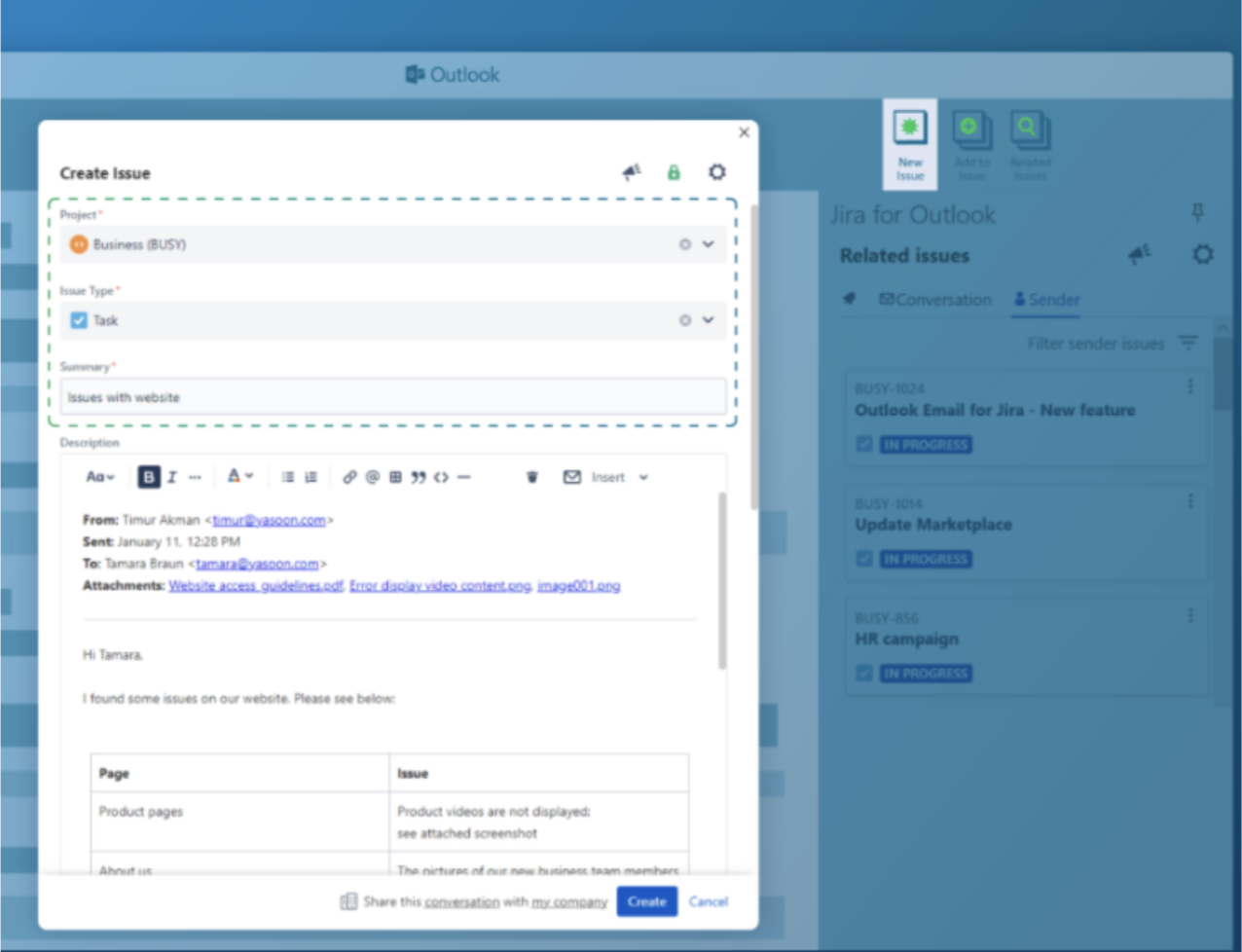
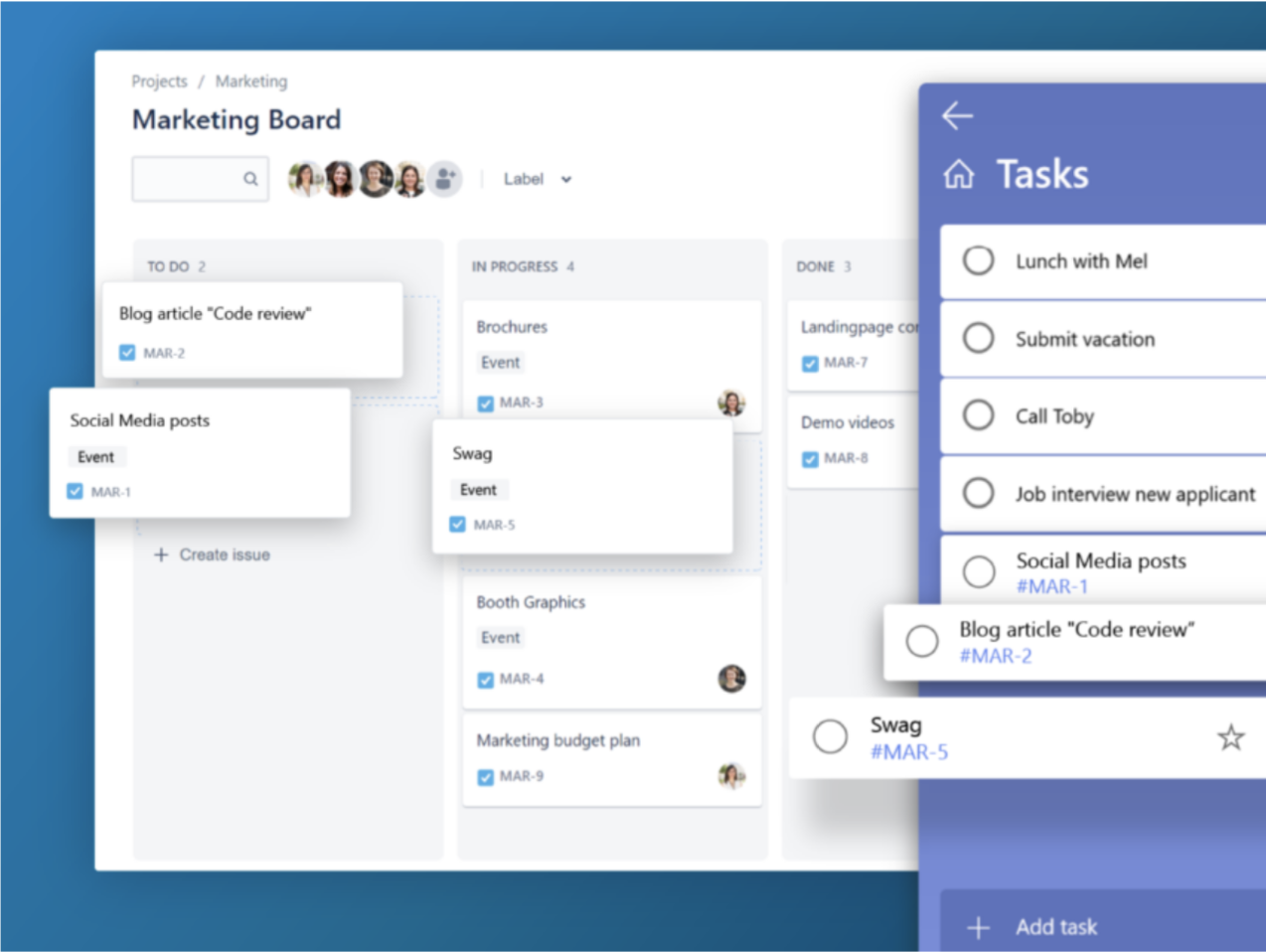
Firstly, one of the key advantages of the yasoon Jira Plugin is its ability to provide a unified interface for users. By embedding Jira in Microsoft 365 applications (Outlook, Word, Excel, Teams) you can switch seamlessly between platforms without workflow disruption. That means you can save valuable time and reduce the risk of information loss between application switching.
2. Enhanced Collaboration with Microsoft Teams and Outlook
The plugin, available in the Atlassian marketplace, facilitates enhanced collaboration between teams working with Jira and Microsoft 365, specifically those using Microsoft Teams.Additionally, users can easily create and update Jira issues directly from their familiar Teams interface. It allows for real-time synchronization of tasks, comments, and attachments.
Users can effortlessly create Jira tasks from Outlook too, converting emails into Jira issues with a few clicks for seamless customer tracking request. Users can also create Jira tasks directly from Outlook.
And it doesn’t stop there. Users can also create Jira issues from Word or Excel documents too. This enables you to quickly transform requirements or project specifications into actionable tasks, without leaving your preferred Microsoft 365 application.
At SPK, we really value the above efforts to foster effective collaboration. With this approach,all team members are on the same page and have access to the most up-to-date information. Furthermore, it reduces duplicated effort too. And, if we put our end-user-hat on for a second:
- Information can reside and be presented to the user in the tool they are most comfortable using.
- This increases adoption of more effective and synchronous applications that drive overarching business efficiency.
3. Time and Resource Management with Your Outlook Calendar
Microsoft 365 for Jira provides valuable features for efficient time and resource management. By integrating Jira and Microsoft 365 calendars, users can:
- Easily visualize their Jira tasks alongside their other meetings
- Ensure optimal scheduling and resource allocation
- See calendar availability
- Schedule an Outlook/Teams meeting
- Add Outlook calendars to Jira
But here’s the cherry on the cake….By integrating Jira and Microsoft 365, users can track the time spent on Jira issues directly from their Microsoft 365 environment. Ultimately, this provides a holistic view of project progress and enhances productivity.
4. User Customization and Extensibility
Microsoft 365 for Jira offers customizable options, allowing users to tailor the integration according to their specific organizational requirements.This includes changing settings such as issue types, workflows, and project selection. Essentially a super flexible and personalized experience.

Conclusion
Integrating Jira and Microsoft 365 with the yasoon Jira plugin will change the way you work. It will generate effective collaboration and streamline your workflows if you already rely on Microsoft 365 and Jira. By seamlessly integrating these powerful platforms, the plugin (built by yasoon):
- Enhances communication.
- Increases productivity.
- Bridges the gap between project management and day-to-day operations.
The plugin empowers teams with a unified interface, enhanced collaboration, streamlined workflows, and customization options, enabling greater efficiency and success.
At SPK, we are uniquely positioned in the market as partners for both Atlassian and Microsoft. That means, yes we can provide licensing for both platforms. But, we can also consult and implement your final solution with more ease than other providers and resellers. and consult
Contact our team here to schedule a demo, or simply learn more about integrating Jira and Microsoft.