
Generative AI is transforming the software development industry, enabling teams to develop, secure, and operate software more efficiently. GitLab is no exception. Its AI-powered suite, GitLab Duo, aims to optimize workflows across the entire software delivery lifecycle, providing meaningful support at every stage. While coding is a critical aspect of development, it constitutes only about 25% of a developer’s workflow. The remaining 75% is spent on other essential tasks such as debugging, testing, and documentation. GitLab Duo aims to help not just with coding, but the tasks making up that 75% such as improving security or creating faster onboarding times. Let’s explore the features of GitLab Duo that allow this.

GitLab Duo: AI Across the Development Lifecycle
GitLab Duo integrates AI capabilities throughout the DevSecOps lifecycle, supporting developers with features such as code suggestions, automated testing, and security scanning. Built on principles of privacy and transparency, GitLab Duo employs tailored AI models and a unified data store. This ensures the right AI capabilities are applied to the right tasks, improving efficiency while maintaining high standards for quality and security.
The AI Impact Dashboard: A New Era of Visibility
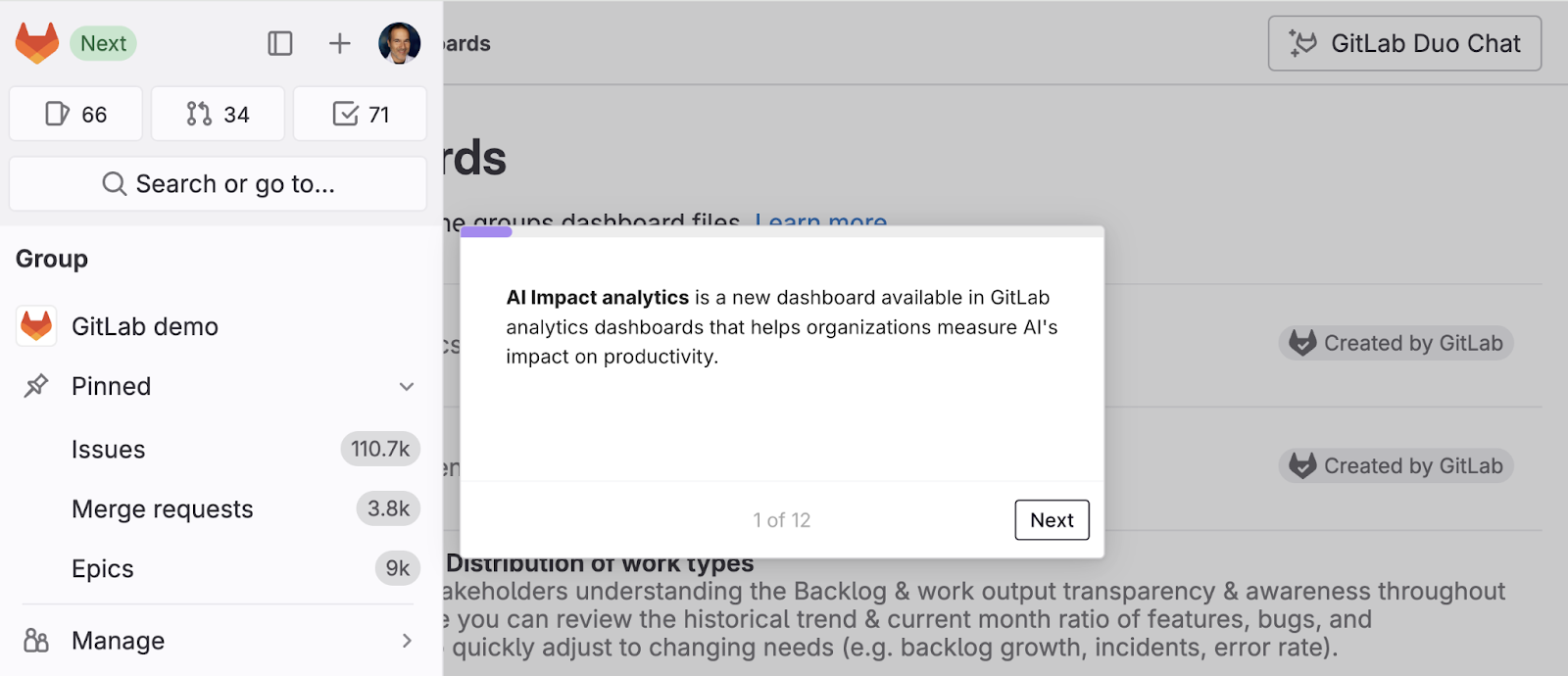
To help organizations evaluate the impact of AI, GitLab has introduced the AI Impact Dashboard. This dashboard is a powerful tool for tracking ROI and AI adoption in DevSecOps workflows. It was developed in response to feedback from engineering and business leaders who need to:
- Visualize metrics improved by AI investments.
- Compare performance between AI-adopting teams and non-adopting teams.
- Track AI adoption progress.
- Automate insights from large volumes of performance data.
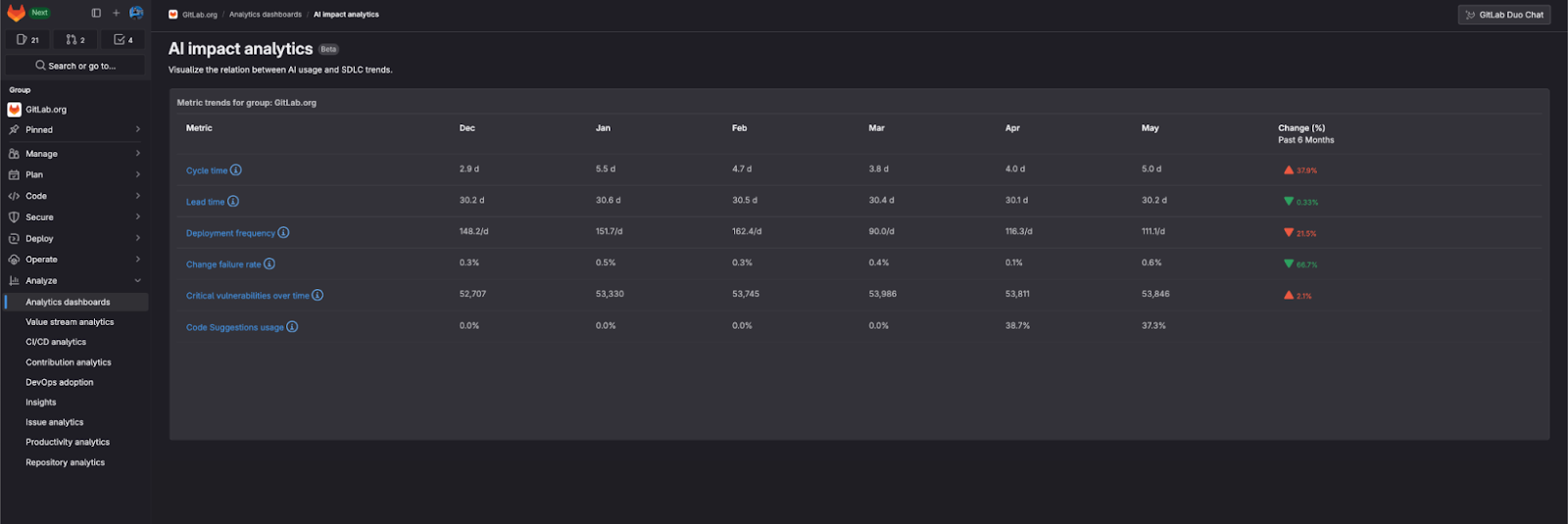
With customizable visualizations and real-time analytics, the dashboard empowers organizations to measure AI’s impact and make data-driven decisions.
Key Features of the AI Impact Dashboard
- Monitor AI Adoption: Track the adoption rates of AI-powered features. For example, measure the ratio of unique users leveraging AI capabilities to total code contributors to track the adoption of Code Suggestions.
- Track Performance Improvements: Evaluate the effect of AI adoption on key performance metrics, including:
-
- Cycle Time: Time taken to complete a feature or fix from start to finish.
- Lead Time: Time taken from code commit to production.
- Deployment Frequency: How often code changes are deployed.
- Change Failure Rate: The percentage of deployments causing production issues.
- Critical Vulnerabilities: The number of high-risk security vulnerabilities detected.
-
- Correlation Analysis: Understand how AI usage correlates with improvements in productivity, quality, and security. For example, teams using Code Suggestions frequently may show reduced cycle times and deployment failures.
- Comparison Views: Gain insights into how AI-using teams compare with non-AI teams in terms of performance, enabling leaders to balance speed, quality, and security trade-offs.
Unlocking the ROI of AI in DevSecOps
The AI Impact Dashboard is designed to help organizations:
- Demonstrate the real-world business outcomes of AI adoption.
- Optimize AI usage across workflows to maximize ROI.
- Make data-driven decisions about future AI investments.
Real-Time Insights for Informed Decision-Making
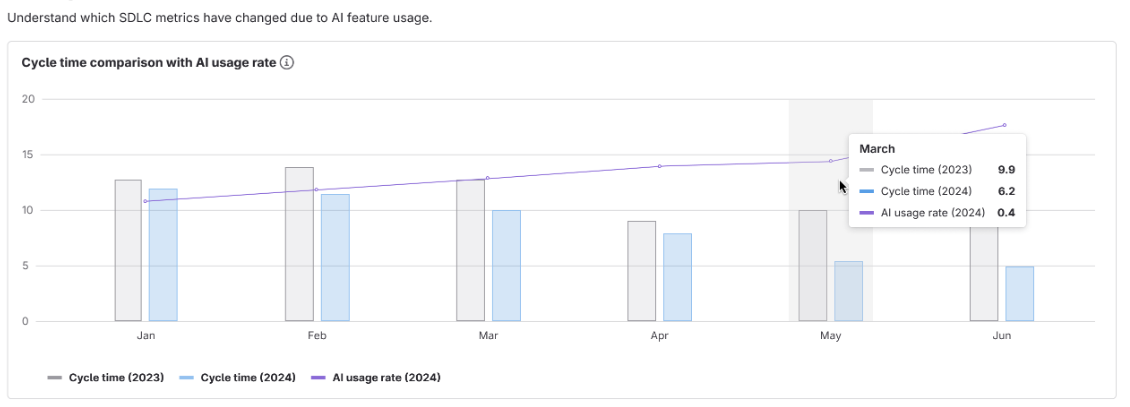
The AI Impact Dashboard provides actionable insights through detailed usage metrics, correlation observations, and comparison bar charts. Usage metrics measure monthly Code Suggestions usage against total contributors. Correlation observations help visualize how AI adoption influences productivity and quality metrics over time. Lastly, comparison bar charts compare the impact of AI adoption on key performance indicators across teams.
What’s Next for the AI Impact Dashboard?
GitLab is continually enhancing the AI Impact Dashboard to provide deeper insights and expanded functionality. Upcoming features include:
- Enhanced Visualizations: New tiles for metrics like “GitLab Duo Seats: Assigned and Used” and “Code Suggestions Acceptance Rate”.
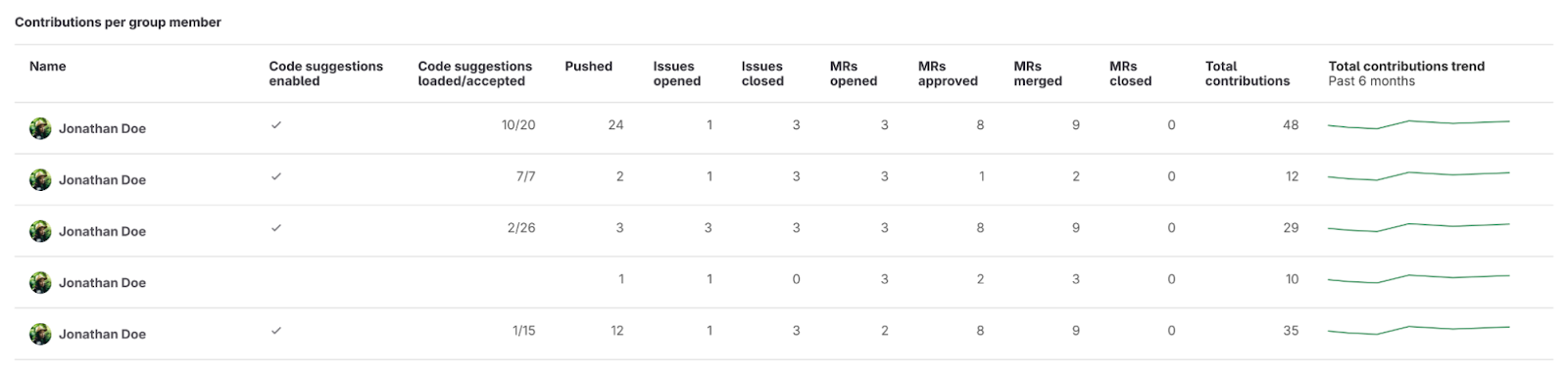
- AI Statistics in Contribution Analytics: Track user interactions with AI features and their impact on individual performance.
- Correlation Bar Charts: Explore how changes in one metric (e.g., AI usage rate) influence others.
Start Measuring AI’s Impact with GitLab Duo
GitLab’s AI Impact Dashboard provides the tools needed to evaluate and optimize the integration of AI into DevSecOps workflows. By offering visibility into adoption rates, performance improvements, and quality metrics, the dashboard empowers teams to leverage AI for better outcomes. If you would like to take the first step toward unlocking the full potential of AI in your organization, contact us today to get started with GitLab.