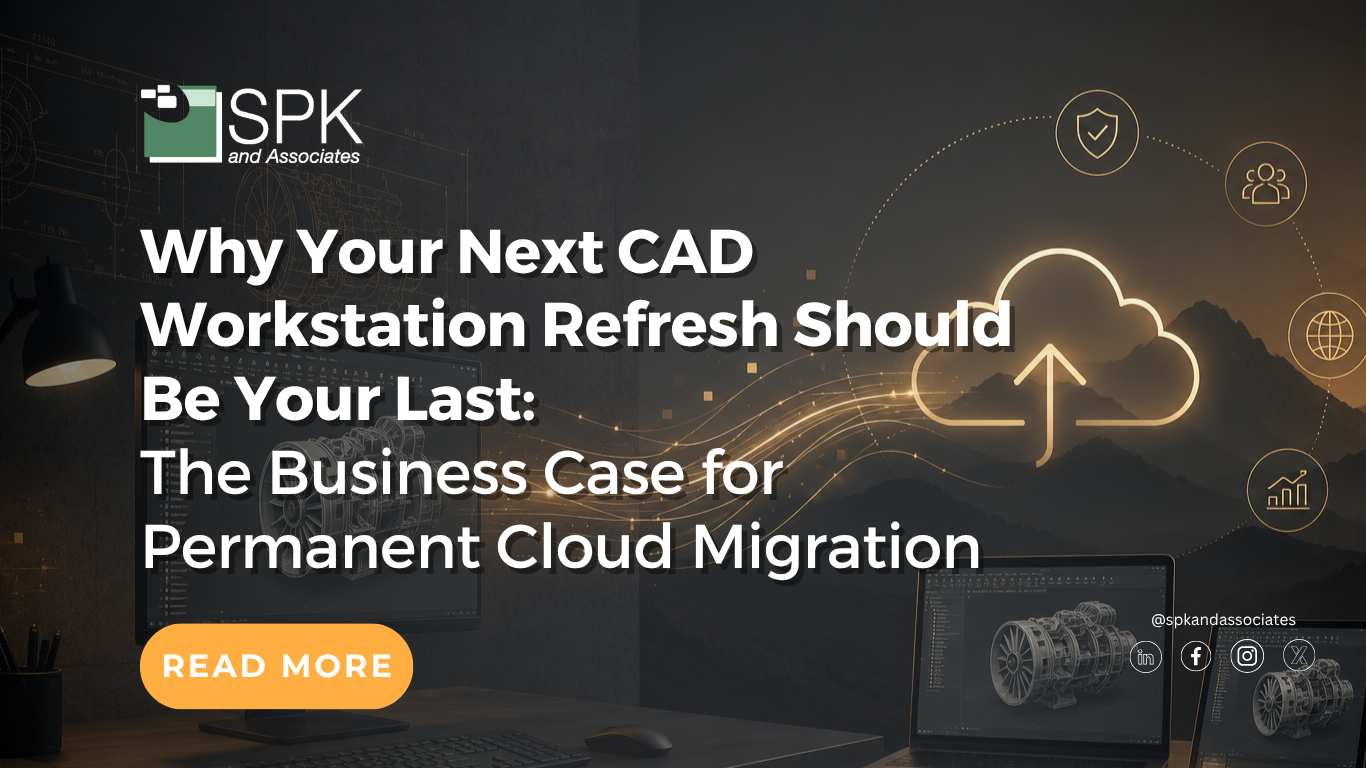

For decades, buying high-powered CAD workstations was simply the cost of doing engineering. When design tools needed more computing power, IT bought more powerful machines. When engineers complained about slow performance, companies refreshed hardware. If a new hire joined, someone ordered another workstation. It became the safe choice. In many ways, it followed the old business logic of “nobody ever got fired for buying IBM.” Buying physical workstations felt familiar, defensible, and predictable, but times are changing. As companies plan their 2026 and 2027 budgets, IT Directors and Engineering Leaders should be asking, “Is another CAD workstation refresh really the best use of capital?”
Today’s engineering teams need flexibility, scalability, security, and speed. They must onboard employees quickly and support remote engineering teams. Additionally, they need to protect intellectual property while still giving engineers high-performance access to complex CAD environments. Most importantly, they need to do all of this without locking the business into another expensive hardware cycle. That is why your next CAD workstation refresh should be your last. Cloud-based CAD environments, such as SPK vCAD, allow organizations to move beyond the traditional workstation model and adopt a more flexible, scalable, and financially efficient approach to engineering infrastructure.
The Typical TCO of a Physical CAD Workstation
It is common for organizations to treat CAD workstation costs as a normal part of doing business. Spending over $6,000 on a high-end workstation may not raise many eyebrows in an engineering organization. After all, CAD users need performance.
A typical workstation cost breakdown might look like this:
- Entry-level systems often range from $800 to $1,500.
- Mid-range professional systems commonly range from $1,500 to $3,000.
- High-end engineering workstations can range from $3,000 to $6,000 or more.
However, the sticker price is only one part of the story. Buying physical CAD workstations creates a chain of recurring and hidden costs that continue long after the purchase order is approved.
Hardware Purchase Cost
The initial workstation purchase is the most visible cost. For CAD, simulation, and visualization users, these machines often require powerful CPUs, professional-grade GPUs, large amounts of memory, fast storage, and specialized configurations. A team of 50 engineers refreshing $4,500 workstations is looking at $225,000 in hardware alone before setup, software, storage, maintenance, downtime, support, and replacement cycles are considered.
Configuration
A physical workstation is not productive the moment it arrives. IT must procure, prepare, configure, secure, test, and document the machine before an engineer can use it.
Typical setup tasks include:
- Procurement preparation
- Initial hardware setup
- operating system setup
- CAD and engineering software installation
- Network and storage configuration
- Security configuration
- Performance optimization
- User customization
- Testing
- Documentation
This process can easily take 6 to 10 hours per machine. At an external IT consultant rate of $150 per hour, setup and configuration can add at least $900 per workstation. Internal IT time may not always show up as a direct invoice, but it is still a real cost. Every hour spent configuring hardware is an hour not spent on higher-value IT initiatives.
Software Maintenance and Licensing
Legacy file-based CAD environments are not as simple as buying software and moving on. The bills keep coming. Organizations often pay annual maintenance fees for software upgrades, support, and access to new versions, whether they choose to install those upgrades immediately or not. Installed desktop software also creates administrative overhead. IT must manage compatibility, upgrades, patches, license availability, user access, and version control.
On-premise desktop software with high upfront costs can impact cash flow and limit the organization’s ability to invest in other long-term priorities. It can also make the business less agile. Once the company has paid for software, hardware, and infrastructure, it becomes harder to change direction.
Maintenance and Support
Physical CAD workstations require ongoing support. IT teams must manage software updates, operating system patches, driver updates, hardware troubleshooting, security tools, performance issues, failed components, and environment setup for new users. These tasks add up quickly, especially for companies with distributed teams, remote engineers, contractors, and multiple design centers. The more specialized the engineering environment, the more difficult it becomes to support consistently. This is not just an IT issue, as it directly affects engineering productivity. When an engineer is waiting for a workstation issue to be resolved, they are not designing, simulating, validating, or releasing products.
Backup and Storage
CAD files are large, sensitive, and business-critical. Physical workstation environments often require additional backup and storage infrastructure to protect design data and support collaboration. A basic storage and backup environment may include an NAS device for centralized storage, hard drives for usable capacity and redundancy, backup software, implementation, configuration, and ongoing maintenance.
For example, a company may spend $1,500 on a NAS device, $1000 on hard drives, $750 on backup software, and another $2000 on setup and maintenance. That adds thousands of dollars in infrastructure cost before considering the workstations themselves. As engineering data grows, storage costs grow with it. The more files, versions, assemblies, simulations, and backups a company manages, the more infrastructure it must maintain.
Security Costs and IP Risk
Engineering workstations often contain highly sensitive intellectual property. CAD files, product designs, simulation data, manufacturing information, and customer-specific designs are valuable assets. When data is stored locally on physical devices, companies face several risks. A laptop can be lost or stolen. Local files can be copied. Security policies may vary across devices. With all of this potential risk, remote work can increase exposure, especially if files are downloaded to unmanaged endpoints. Backup gaps can create recovery risk, and inconsistent endpoint security can weaken the entire engineering environment.
To mitigate these risks, companies invest in antivirus tools, endpoint protection, backup software, encryption, monitoring, access controls, and support processes. Even then, decentralized data remains a liability.
Hardware Refresh Cycles
CAD workstations typically need to be refreshed every 3 to 5 years to keep up with evolving software, simulation, visualization, and performance demands. This creates a recurring capital expense cycle. Every few years, the organization must evaluate hardware, forecast engineering needs, request budget, purchase machines, configure environments, migrate users, retire old assets, and start the process again. This creates budgeting pressure for CFOs, operational work for IT, and disruption for engineering teams. This begs the question: “Should businesses continue refreshing physical workstations at all?”
Downtime and Lost Productivity
Slow systems, hardware failures, upgrade delays, data retrieval issues, and configuration problems all reduce engineering productivity. Some estimates suggest that up to 15% of engineering time can be lost to non-value-added activities. Even small delays matter. If engineers are waiting for files to open, simulations to run, systems to update, or IT to configure environments, that time comes directly out of product development. For companies under pressure to bring products to market faster, workstation-related downtime is not just an inconvenience, but a business cost.
Cost of Capital
The cost of capital is one of the most overlooked parts of workstation ownership. When a company spends cash on hardware, it is not just paying for equipment. It is giving up the opportunity to use that capital elsewhere. That money could have been used to hire staff, invest in product development, strengthen cybersecurity, support marketing, expand cloud infrastructure, or preserve liquidity for uncertain market conditions.
As a rule of thumb, the cost of capital is often estimated at around 10%. If a company spends $4,500 on a workstation, the opportunity cost over a three-year period could be approximately $1,350. That means the true cost of the machine is not just the purchase price. It is the purchase price plus the value of what the company could have done with that money instead. For CFOs, this matters. Physical workstation purchases consume capital, create depreciation schedules, require asset tracking, and can leave the company with stranded capital if requirements change.
Why You Should Switch to a Cloud CAD Solution
Cloud-based engineering environments offer a fundamentally different model. Instead of buying, configuring, maintaining, and refreshing physical workstations, companies can provide engineers with secure, high-performance virtual workstations that are available when needed and scalable as requirements change. This shift aligns better with how modern engineering teams operate.
Less Upfront Cash Required
Cloud solutions reduce the need for large capital outlays. Instead of spending hundreds of thousands of dollars on workstation refreshes, companies can shift toward a more flexible operating model. This is especially attractive to CFOs because the budgeting process becomes easier to understand. Short-term spending requirements are clearer, and precious capital can be redeployed to other long-term investments.
Better Scalability
Engineering demand is rarely static. Companies hire new engineers, bring in contractors, open remote design centers, start new programs, pause projects, and shift resources across teams. Physical workstations make scaling difficult. If the company buys too few machines, engineers wait. If it buys too many, capital sits idle.
Cloud-based CAD environments make it easier to scale up or down based on actual need. New users can be provisioned quickly, and temporary users can be supported without long-term hardware commitments. Furthermore, teams can expand without waiting for procurement and setup.
Faster Onboarding
Traditional workstation onboarding can take days or even weeks when configuration, software installation, and security setup are involved. Cloud-based environments can dramatically reduce that timeline. Preconfigured virtual workstations allow new engineers, drafters, and contractors to begin working much faster. For fast-growing companies or project-based engineering teams, this is a major advantage.
Stronger Security
Engineering data does not need to live on local endpoints when using a cloud-based CAD environment. Users can access powerful virtual workstations while sensitive design files remain protected in a centralized environment. This helps reduce the risk of IP loss from device theft, local downloads, inconsistent endpoint controls, or unmanaged remote work. For organizations working with regulated products, customer data, export-controlled information, or proprietary designs, this security model is much stronger than decentralized workstation storage.
Improved Flexibility for Distributed Teams
Engineering teams are increasingly distributed across offices, home environments, contractor networks, and global design centers. Physical workstations are not designed for this level of flexibility. Cloud-based CAD environments, on the other hand, allow engineers to access their tools and data from more locations while maintaining performance and security. This helps companies support modern work models without compromising engineering productivity.
Better Long-Term TCO
Cloud migration is not just about avoiding the next hardware purchase. It is about reducing the total lifecycle cost of engineering infrastructure. When companies consider hardware, setup, storage, security, support, maintenance, downtime, cost of capital, and refresh cycles, cloud-based CAD can offer a better long-term cost structure. It also reduces the operational burden on IT and improves agility for engineering.
SPK vCAD: Cloud-Based CAD for Modern Engineering
SPK vCAD is a cloud-based engineering platform designed to help companies move beyond physical CAD workstations without giving up the engineering applications they already rely on. vCAD enables teams to quickly set up and manage virtual engineering workstations through a SaaS platform optimized for MCAD, ECAD, and FEA applications. This includes solutions like SOLIDWORKS, Creo, Cadence, Ansys, and more. vCAD can also support software development teams as a cloud development environment.
For years, engineering organizations have wanted the best of both worlds: the ability to keep their existing CAD, PDM, PLM, simulation, and engineering application investments while gaining the flexibility and scalability of the cloud. SPK vCAD makes that possible. With vCAD, teams can create preconfigured engineering workstations with the applications and tools engineers need. New users can be brought online in minutes instead of waiting for IT to purchase, ship, configure, and secure physical machines.

Key Benefits of SPK vCAD
Optimized Engineering Performance
vCAD is designed for demanding engineering applications, including simulation, visualization, and design tools. It helps remote design centers and work-from-home teams access optimized performance without relying on local high-end hardware.
Faster New User Onboarding
Companies can save days of onboarding new engineers, drafters, or contractors with vCAD. Instead of waiting for hardware procurement and manual configuration, IT can provision a virtual workstation that is already configured with the required applications and tools. This is especially valuable for companies that use contractors, temporary engineering resources, distributed teams, or project-based staffing.
No Large Cash Outlay
vCAD helps companies avoid large upfront hardware investments. Instead of purchasing high-end workstations for every engineer, organizations can provide secure cloud-based environments that scale with demand. For CFOs, this supports a more flexible spending model. The company can pay for what it needs, scale as requirements change, and avoid stranded capital tied up in underused or outdated hardware.
Stronger IP Protection
vCAD ensures that design files are not stored on remote engineers’ personal devices. This helps protect company intellectual property and reduces risk in hybrid, remote, and contractor-based work environments. It also supports secure sessions with end-to-end SSL encryption and endpoint security powered by AI. This gives IT teams a more controlled and secure way to support engineering access.
Application-Level Monitoring
vCAD provides deep remote monitoring down to the application level. This helps ensure that engineering design applications are up and running at the level of performance engineers expect. For IT and engineering managers, this visibility is valuable. It helps teams identify performance issues, improve support, and ensure that CAD, PDM, PLM, simulation, and visualization tools are operating effectively.
Support for CAD, PDM, and PLM Workflows
Engineering productivity depends on more than opening CAD software. Teams also need smooth check-in and check-out processes, reliable access to PDM or PLM systems, and responsive performance when working with large files and assemblies. vCAD is designed to support workflows involving tools such as SOLIDWORKS/PDM and Creo/Windchill, helping remote users experience engineering workflows as if they were on-site.
Productivity Visibility for Engineering Leaders
Engineering managers need visibility into productivity, especially when teams are remote or distributed. SPK vCAD can provide insight into engineering productivity metrics, giving leaders a clearer view of how remote engineering environments are performing. This helps engineering leaders evaluate whether infrastructure is helping or hindering product development.
Why 2026–2027 Is the Decision Point
The next budget cycle is an opportunity to break the pattern. Many organizations will soon face another round of workstation refresh decisions. The familiar path is to buy new machines, configure them, depreciate them, maintain them, and repeat the process again in 3 to 5 years. That model was built for a different era. Today’s engineering organizations need infrastructure that supports remote collaboration, elastic scale, and smarter use of capital. Buying another round of physical workstations may feel safe, but it is not strategic.
The modern equivalent of “nobody ever got fired for buying IBM” may be that nobody wants to be the leader who keeps approving outdated infrastructure because it feels familiar. Cloud services now offer flexibility, scalability, and a stronger financial model for modern engineering. They help companies adapt quickly, reduce upfront costs, protect intellectual property, and support high-performance engineering work without another hardware refresh cycle.
Moving Your CAD to the Cloud
CAD workstation refreshes have long been viewed as unavoidable, but the next refresh should be your last one. Cloud-based CAD environments offer a more flexible path forward. They provide scalability, security, and a more modern cost structure. For companies planning their 2026 and 2027 budgets, this is the right time to evaluate whether physical workstation refreshes still make sense. vCAD gives engineering organizations a practical way to move to the cloud while continuing to use the tools they already trust. Instead of buying another generation of physical workstations, companies can invest in a more flexible engineering platform built for the future. If your team is ready to be done with CAD workstation refreshes, contact our experts.

Workstation Lifecycle Cost Calculator
To make this conversation easier for IT and finance teams, companies should consider using a Workstation Lifecycle Cost Calculator as part of their 2026 and 2027 planning process