
Every few years, someone in leadership pitches the same idea: standardize the whole company on one ITSM platform. One tool, one way of working, no more confusion. It sounds clean on a whiteboard but falls apart in practice.
Teams resist it because they’ve built their workflows around specific tools. Acquisitions show up with their own stacks and no appetite for a fast migration. Partners and vendors won’t switch to your platform just because you asked. The strategy works right up until it hits the boundary of your org chart, and then it stops.
There’s an alternative that’s gaining traction in enterprises and MSP environments: federated ITSM. You standardize the workflow, not the tool. You let each team keep what works for them, and you invest in the integration layer that connects everything.
Why “One Tool for All” Keeps Failing
The pitch for a single ITSM platform makes a reasonable assumption: if everyone’s in the same system, you eliminate data silos and handoff friction. That assumption ignores 3 things.
First, teams have genuinely different jobs. A development team optimizing for shipping speed has different needs than an IT operations team managing change control, and both are different from a customer support team handling conversation flow. Forcing them all into one tool means at least 2 of those teams are working against the grain of their tooling.
Second, acquisitions break the plan. One development company, for example, runs Exalate across 13 Jira environments because every company they acquire brings its own setup. Some of those acquired companies arrive with Zendesk or ServiceNow instances that take up to a year to migrate. During that window, the “one tool” strategy is already fractured, and you still need the data to flow.
Third, the strategy stops at your org boundary. Your MSP clients won’t adopt your ServiceNow instance. Your vendor’s engineering team won’t switch off Jira because you prefer Azure DevOps. Cross-company collaboration requires a model that respects each side’s independence.
When Standardization Still Makes Sense
Federated ITSM isn’t always the right answer. If your teams do similar work, operate under the same constraints, and don’t have external relationships that require independent tooling, a single platform is simpler and cheaper to manage.
The test: do the teams involved have meaningfully different jobs, different external relationships, or different compliance requirements? If the answer is no, consolidate. If the answer is yes, you’re better off keeping the tools that work and investing in the integration layer.
What Federated ITSM Actually Means
Federated ITSM is a model where each team or business unit keeps the tool that fits their work, and a shared integration layer carries the handoffs between them. You standardize the data exchange and the escalation logic, not the platform.
A common example: engineering runs Jira, IT operations runs ServiceNow, and customer support runs Zendesk. When a customer ticket in Zendesk needs engineering attention, the integration creates a Jira issue with the relevant fields, syncs comments bidirectionally, and maps status updates back so the support agent can track progress from their end.
Use Cases for Federated ITSM Integration
MSPs Managing Multiple Client Environments
You’re managing 10 or 20 clients, each with their own ITSM environment, and you need ticket data flowing into your own system without manually hopping between instances.
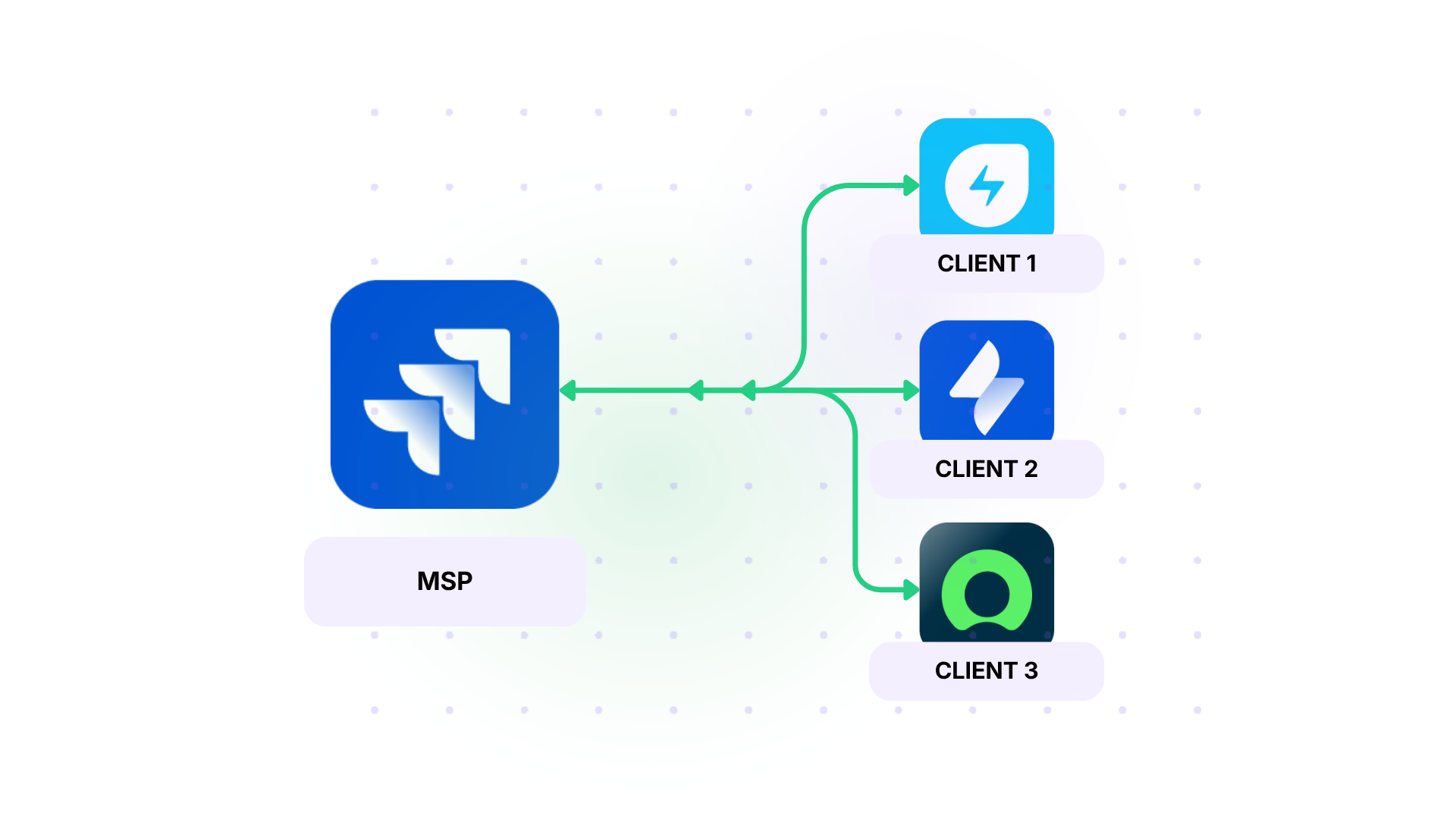
One of our partners ran into this workflow with their engineering MSP practice. Their engineers were logging into each client’s Jira environment individually to pick up tickets, then duplicating that work in their own system. The overhead was roughly 5 hours per engineer per week, and it was error-prone.
After standardizing on solutions like Exalate for their client integrations, they eliminated that manual work and turned integration into a billable service line. Each new client gets a dedicated connection, tickets sync automatically, and fields are fine-tuned to that client’s specific needs.
Post-Acquisition Integration Without Forced Migrations
Acquisitions are the fastest way to end up with a federated environment, whether you planned for one or not. The new company brings Jira, ServiceNow, or Zendesk, and the migration timeline is months to years, not weeks.
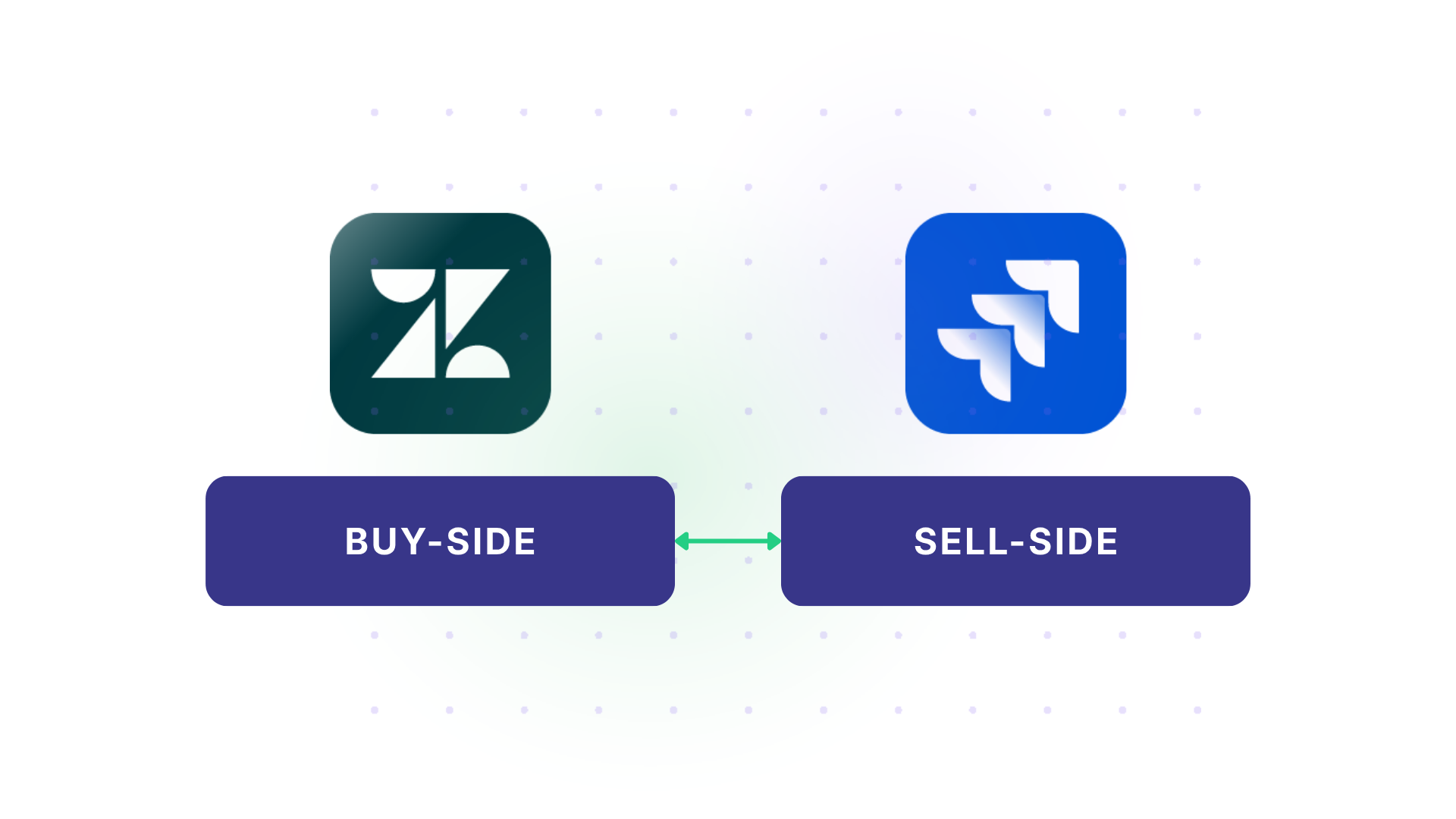
A company acquired multiple companies, each with its own tools, and the migration cycle for something like Zendesk or Freshdesk can stretch to a year. In the meantime, they need customer service data from Zendesk flowing into their primary Jira instance (which has 1,400 users) and into various standalone Jira instances from other acquisitions.
Exalate connects those environments so the business keeps running while the migration happens at its own pace, and in some cases, the standalone instance stays standalone because the migration cost doesn’t justify itself.
Dev and ITSM (The Jira-ServiceNow Gap)
A business team runs ServiceNow for IT operations, while a development team runs Jira, and tickets need to cross between them without anyone switching tools or copying data manually.
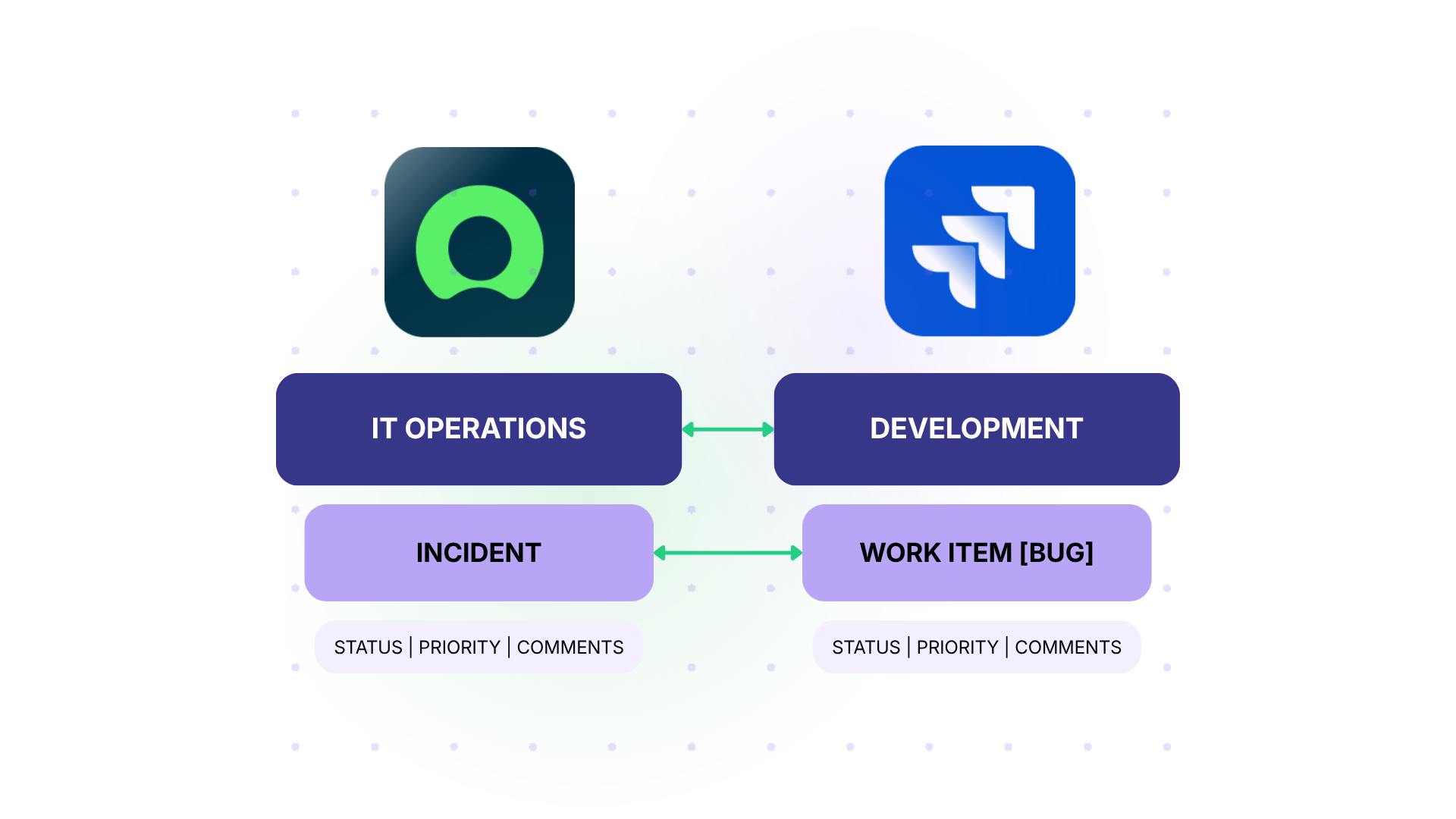
The typical flow: a ServiceNow incident gets triaged and needs engineering work, so it creates a Jira story or bug automatically. Comments sync bidirectionally, so the ops team sees engineering progress and the dev team gets additional context from the business side.
Status updates map between the two systems, so a resolution in Jira closes or updates the ServiceNow incident. The reverse flow matters too: a change request initiated in Jira that needs approval in ServiceNow follows the same bidirectional path.
For SPK’s clients, this is often where the conversation starts. A client’s IT team submits a ServiceNow request, engineering picks it up in Jira, and the integration handles the translation between the two systems’ field structures, status models, and comment formats.
Cross-Company Support Escalation
When your L1 support runs Zendesk, and you need to escalate to a vendor whose engineering team runs Jira, or to an internal team on ServiceNow, you’ve got a cross-company escalation scenario. The alternative is email chains, shared credentials, or manual ticket duplication, all of which break down under volume.
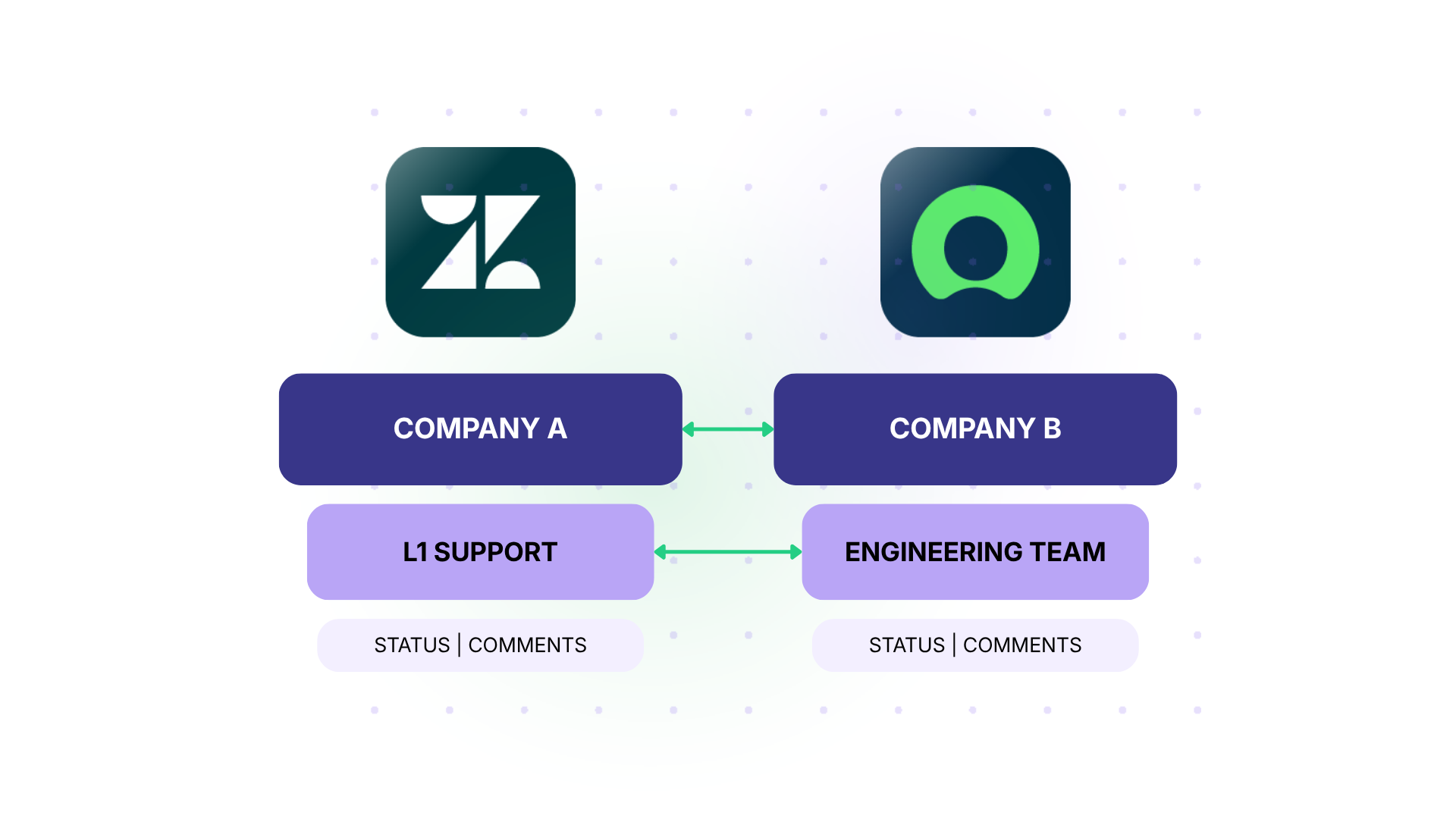
One company described needing their Zendesk L1 team to escalate to a client’s Jira instance, with bidirectional comment sync and status mapping, without giving the client admin access to their full Zendesk environment.
SIAM: Service Integration and Management at Multi-Supplier Scale
There’s a formal name for the federated model once you scale it past your own org chart: service integration and management, or SIAM. It’s what enterprises use when multiple external suppliers each deliver a piece of IT service, and someone has to keep the whole thing coherent without owning every supplier’s tooling.
The setup is familiar if you’ve read this far. Each supplier runs its own tools. One uses Jira, another runs ServiceNow, and another tracks work in something you’ve never heard of. Every supplier has its own issue tracker and its own way of reporting status, and getting them onto a shared process is slow and expensive to coordinate by hand.
The harder problem is that suppliers meet their contractual obligations and stop there. They have no reason to invest extra effort in making service delivery smoother for you, and asking nicely doesn’t change that math.
A federated integration layer doesn’t fix supplier incentives. What it removes is the excuse that a technical bridge doesn’t exist. Each supplier configures their own side of the connection, on their own tool, under their own admin rights. Incident and change data crosses supplier boundaries without anyone needing a login to someone else’s system. Additionally, SLA reporting stays accurate because the handoffs aren’t manual anymore.
This is also where federated ITSM shows up outside the SIAM label, even when nobody calls it that. One manufacturer had its Jira-ServiceNow sync named directly in an acquisition audit, cited as proof that ticket data stayed traceable and the system of record held up under scrutiny. Nobody on that audit cared what the integration was called. They cared that the incident history didn’t have gaps when ownership changed hands.
If you’re formalizing a multi-supplier delivery model and want the fuller framework, not just the integration layer, Exalate has a dedicated guide to service integration and management that goes deeper on the SIAM model itself.

What This Requires From Your Integration Solution
Not every integration tool can support a federated ITSM model. A few capabilities matter more than others.
- Independent configuration on each side is the starting point. Each team or organization needs to control what data flows in and out of their system without requiring the other side to make changes. This is especially important for cross-company scenarios where you can’t dictate how the other party configures their tools.
- Scripting for edge cases comes next. Standard field mappings cover the common scenarios, but real environments have custom fields, conditional logic, and approval workflows that need programmatic handling. Exalate uses Groovy scripting for this, along with Aida (an AI assistant) for generating and troubleshooting scripts.
- Bidirectional sync is non-negotiable. A lot of integration tools push data one way and call it done. Federated ITSM requires comments, statuses, attachments, and custom fields to flow in both directions and stay current. When one team leaves a comment, the other team sees it, and when a status changes on either side, it propagates back.
- Scalability for subsequent connections is what separates a federated strategy from a point solution. Instead of setting up a single integration, you’re building a pattern that repeats every time you add a new client, acquire a company, or onboard a supplier.

The Integration Solution Is Your Leverage Point
For a long time, integration was something you tolerated. It was the work nobody wanted to own.
Today, the integration is what lets you onboard an acquisition without forcing a 12-month migration. It’s what lets an MSP manage 20 clients without logging into 20 separate systems. It’s what lets your dev team stay in Jira, and your ops team stay in ServiceNow and still ship together.
If you’re evaluating how to handle multi-tool, multi-team, or multi-company ITSM, reach out to SPK to see how they’ve built this into their managed services practice. You can also start a free trial to see if Exalate is the right tool for you.